




All-in-One BESS for Homes: What’s in the Cabinet
An all in one battery energy storage system is a home battery cabinet that combines LiFePO4 modules, BMS protection, a hybrid inverter, EMS controls, contactors, breakers, and communication ports in one pre-integrated unit. The main benefit is space saving with fewer field wiring risks. Factory integration reduces protocol mismatch and commissioning mistakes while giving homeowners one cleaner system to monitor.
Open the cabinet and the system becomes easier to understand. It is not a mystery box. It is a set of battery, power conversion, control, safety, and communication parts working together. For homeowners, this helps explain what they are buying. For installers, it shows which parts must be checked before the cabinet is powered on.
What is an all in one battery energy storage system?
An all in one battery energy storage system is a pre-integrated cabinet that combines battery storage, power conversion, protection, monitoring, and control hardware. For homes, it reduces separate wall-mounted parts and simplifies the installer’s wiring path.
In a split setup, the battery, inverter, protection devices, and controls may arrive as separate products. The installer must mount them, wire them, check compatibility, and commission them together. An all-in-one cabinet moves much of that matching work into the factory.
For a wider system-planning view, see this all in one vs split stack.
A home BESS can store solar energy or grid energy for later use. The U.S. Department of Energy explains that solar-plus-storage pairs a battery with a solar PV system so generated energy can be used later instead of only when panels are producing power.
What parts are inside the cabinet?
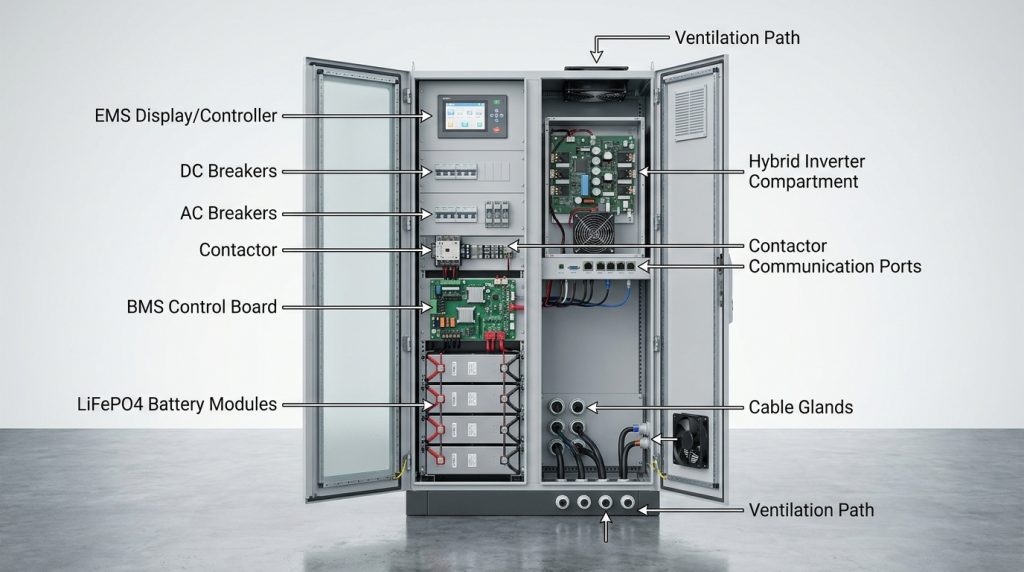
Inside the cabinet, the battery stores energy, the BMS protects the cells, the hybrid inverter converts power, and the EMS decides energy flow. Protection devices and communication ports make the system safer to install and easier to monitor.
A cabinet layout differs by manufacturer, but most home all-in-one systems follow the same logic. Energy is stored in the battery module. The BMS watches battery health. The inverter converts power. The EMS controls charging and discharging. Breakers, fuses, contactors, and terminals help isolate and protect circuits.
| Cabinet part | What it does | What can go wrong | Who should inspect it |
|---|---|---|---|
| LiFePO4 battery module | Stores DC energy | Physical damage, wrong capacity, loose module connection | Installer |
| BMS | Tracks voltage, current, temperature, and state of charge | Fault codes, communication errors, wrong settings | Installer |
| Hybrid inverter | Converts DC and AC power | Wrong output rating, firmware issue, wiring error | Installer |
| EMS | Controls charge, discharge, backup reserve, and monitoring | Wrong mode, missing app setup, poor time setting | Installer and homeowner |
| Contactor | Opens or closes the main battery power path | Stuck contactor, fault lockout | Installer |
| DC breaker or fuse | Protects the DC side | Wrong position, missing cover, damage | Installer |
| AC breaker | Protects the AC output or grid side | Wrong rating, loose terminal | Installer |
| Communication ports | Connect BMS, inverter, EMS, and monitoring | CAN or RS485 mismatch, loose cable | Installer |
| Thermal path | Helps manage heat | Blocked vents, shipping damage, poor clearance | Installer and homeowner |
| Display or app module | Shows status and alarms | No login, wrong readings, missing handover | Installer and homeowner |
UL notes that energy storage system certification reviews items such as charging, discharging, protection, control, and device communication. That is why the cabinet should be judged as a complete system, not only as a battery box.
What should the labeled cabinet photo show?
A good cabinet photo should help the reader locate each subsystem without exposing unsafe live parts. The image should show the cabinet open, with clean arrows pointing to major areas. Labels should be short, readable, and placed near the part they describe.
Use this callout structure for the article image:
- LiFePO4 battery module, lower or rear battery section
- BMS area, usually near the battery module or control board
- Hybrid inverter section, power conversion area
- EMS or display/control module
- DC terminals and AC terminals, with covers shown
- CAN/RS485 communication ports
- Main breaker, isolator, fuse, or contactor area
- Ventilation path or heat dissipation zone
- Cable gland or conduit entry points
- Serial label and model plate
The photo should look practical, not decorative. A clean cabinet photo is more useful than a lifestyle image because buyers need to see the battery section, inverter section, protection devices, and communication ports before judging serviceability.
How does the LiFePO4 battery module store power?
The LiFePO4 module stores energy as DC power. In a home cabinet, it is the part that holds usable energy for backup loads, solar self-consumption, or time-of-use charging strategies.
Capacity is usually shown in kilowatt-hours, or kWh. A 10 kWh cabinet does not mean every appliance can run for the same number of hours. Runtime depends on load size, inverter output, battery usable capacity, and reserve settings.
For example, a homeowner may use a 10 kWh cabinet for essential loads first: refrigerator, router, lights, laptop, and a small fan. That is very different from trying to run an electric oven, central air conditioner, and EV charger during an outage.
The battery module also has to match the inverter’s voltage range and the BMS limits. That matching is one reason integrated cabinets can reduce setup problems. For chemistry and buying details, see the LiFePO4 buying guide.
What does the BMS protect inside an all-in-one BESS?
The BMS protects the battery module by watching cell voltage, current, temperature, and state of charge. It tells the inverter or EMS when charging or discharging should slow down, stop, or enter a fault mode.
BMS means Battery Management System. It is the safety and monitoring layer for the battery pack. Without it, the inverter would not have enough battery-level information to make safe charge and discharge decisions.
The BMS usually helps protect against:
- Overcharge
- Over-discharge
- Overcurrent
- High or low temperature
- Cell imbalance
- Communication fault
- Abnormal state of charge reading
This is where all-in-one design helps. The BMS, inverter, and EMS are selected to speak the same control language. In a separate-parts setup, a battery and inverter may arrive with CAN or RS485 settings that do not match, which can delay commissioning.
UL’s energy storage certification guidance references battery and inverter safety standards such as UL 1973 and UL 1741 inside broader ESS evaluation. Buyers should ask for the cabinet’s full system certification details, not only a battery cell claim.
Why does the hybrid inverter matter inside the cabinet?
The hybrid inverter is the power conversion center. It turns battery DC into home AC, charges the battery from solar or grid where supported, and determines how much backup load the cabinet can safely support.
Solar panels and batteries work with DC power. Most home circuits use AC power. The hybrid inverter connects those worlds and decides how power moves between PV, battery, grid, and backed-up loads.
For an off-grid or backup setup, the inverter rating matters as much as battery capacity. A large battery with a small inverter may store enough energy but fail to run higher-startup loads. The installer should confirm output power, surge rating, backup panel design, and supported operating modes.
Can an inverter connect to solar without a battery?
Yes, some solar systems can use an inverter without storage. That setup can produce power during sunlight, but it does not give stored backup energy unless batteries are added.
The U.S. Department of Energy explains that solar-plus-storage designs can be AC-coupled or DC-coupled. That difference affects how PV, battery storage, and conversion hardware connect. For a deeper system layout, see this hybrid solar battery setup.
What does the EMS decide after everything is connected?
The EMS decides when the cabinet charges, discharges, reserves energy, or sends power to loads. EMS means Energy Management System. It is the operating brain behind solar-first use, backup reserve, time-of-use control, and monitoring.
The homeowner sees the EMS through a screen, app, or web portal. The installer sets the operating mode during commissioning. These settings should not be guessed because they affect backup runtime, grid charging behavior, and daily battery cycling.
| Situation | EMS action | What the user should check |
|---|---|---|
| Solar production is high | Charge battery or serve home loads | PV input and battery state of charge |
| Grid price is high | Discharge battery if allowed | Time-of-use mode and reserve setting |
| Storm backup is needed | Hold battery reserve | Backup reserve percentage |
| Load is too high | Limit output or trigger warning | Load draw and alarm log |
| Grid returns after outage | Recharge battery safely | Charging status and fault messages |
DOE Energy Saver notes that battery storage systems can help homeowners monitor energy production and use in real time. That visibility connects directly to savings planning, so link this section to home ESS payback when readers ask about bill impact.
Why does factory pre-integration reduce installation mistakes?
Factory pre-integration reduces mistakes because the battery, inverter, BMS, EMS, protection devices, and communication paths are matched and tested before delivery. The installer still verifies site wiring, grounding, torque, firmware, and local code compliance.
In field-built systems, more parts are wired together on site. Every extra termination adds a chance of loose torque, reversed polarity, missing communication cable, wrong breaker selection, or mismatched protocol settings. A factory-integrated cabinet reduces many of those touchpoints.
That does not make the system DIY. Factory integration reduces many field mistakes, but the final safety result still depends on correct grounding, torque, circuit selection, firmware setup, and local code compliance.
| Site-level risk | Split setup | All-in-one cabinet |
|---|---|---|
| Battery to inverter communication | Must be matched on site | Usually matched before delivery |
| DC cable routing | More external wiring | More internal factory wiring |
| Protection device placement | More design choices on site | Protection often built into cabinet |
| Commissioning time | More compatibility checks | Faster checks if documentation is clear |
| Service access | Depends on layout | Depends on cabinet design |
This is the best place to compare all-in-one vs split-stack. All-in-one is not always better. It works well for standard home backup, limited space, and clean solar-storage layouts. A split system may be safer for unusual loads, long cable runs, or custom equipment placement.
What should you inspect when the cabinet arrives?
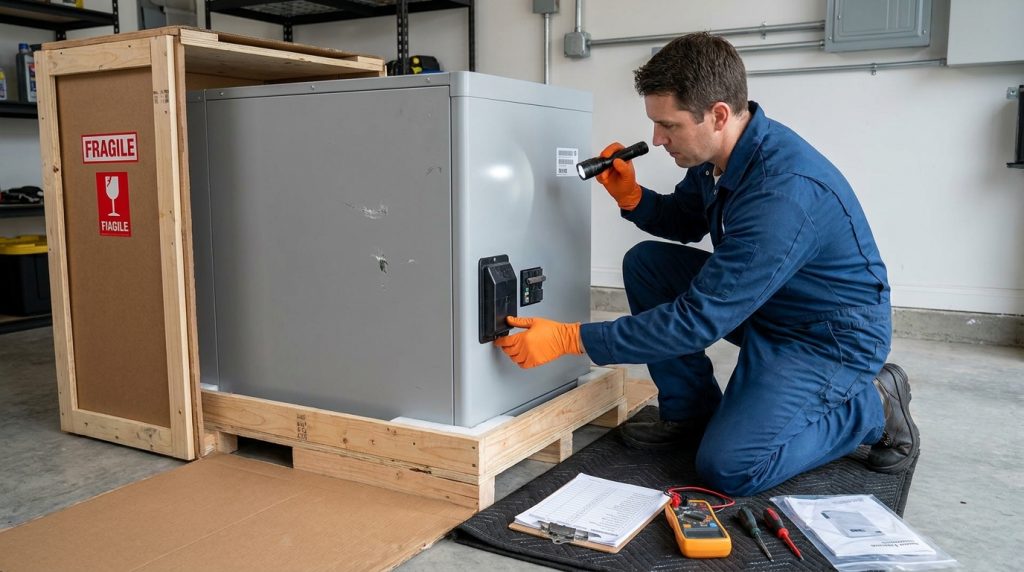
At unboxing, inspect the packaging, cabinet body, serial label, accessories, terminals, breakers, communication ports, manuals, and certificate pack before installation. If the cabinet is damaged, do not energize it, and document the issue immediately.
The unboxing check should happen before the cabinet is moved into final position. A homeowner can document visible damage, but the installer should inspect electrical parts and terminal areas. If a dent appears near a terminal cover or cable entry, stop and report it.
Use this checklist before the home ESS installation starts:
- Photograph all sides of the packaging.
- Check shock or tilt labels if included.
- Match the model number and serial number to the order.
- Check the cabinet for dents, cracks, rust, or bent panels.
- Confirm terminal covers are present and not broken.
- Check that breakers or isolators are in the correct delivery position.
- Confirm cable glands and conduit entries are not damaged.
- Check the accessory pack, cables, Wi-Fi module, and mounting parts.
- Confirm manuals, warranty card, test report, and certificate pack are included.
- Do not power on a damaged cabinet.
- Save photos before signing delivery or installation completion.
A practical example is simple. If the cabinet arrives with a dent near the terminal cover and a missing accessory pack, photograph the damage, record the serial number, and report it before energizing the system.
What specs and certifications should buyers verify?
Buyers should verify the cabinet’s electrical ratings, operating limits, communication support, and safety documentation before installation. Do not judge the cabinet only by the advertised kWh number.
The key specs include battery capacity, usable capacity, inverter output, surge rating, PV input range, backup output, operating temperature, IP rating, communication protocol, expansion support, and warranty terms. The installer should also confirm grounding, breaker sizing, backup panel limits, and local code requirements.
Use this short verification checklist:
- Battery capacity and usable capacity
- Inverter continuous output and surge output
- Backup load limit
- PV input voltage and current range
- Grid input and output rating
- CAN or RS485 protocol support
- Operating temperature range
- Indoor or outdoor rating
- Expansion method
- Warranty and installer requirements
- UL 9540, UL 1973, UL 9540A, or other relevant documents
- Shipping test documents where required, such as UN/DOT 38.3
UL 9540 covers complete energy storage systems, and UL 9540A is used to evaluate thermal runaway fire propagation behavior. NFPA 855 provides a standard for stationary energy storage system installation, so the installer should check the local code path before commissioning.
When is an all-in-one cabinet not the best fit?
An all-in-one cabinet is best for a standard home backup or solar-storage setup where compact installation matters. A split system may be better for unusual loads, complex retrofits, large expansion plans, or strict site layout constraints.
The best system depends on the home, not the label on the cabinet. A homeowner with a simple backup panel and limited wall space may benefit from a clean integrated unit. A home with future EV charging, large HVAC loads, or a complex retrofit may need more design flexibility.
| Buyer situation | Better fit | Why |
|---|---|---|
| Essential-load backup | All-in-one cabinet | Simple load target and cleaner installation |
| Small solar retrofit | Depends on existing inverter | AC-coupled storage may fit better |
| Whole-home backup | Depends on inverter and battery size | Load study is needed |
| Future EV charging | Split or expandable design may fit better | Growth path matters |
| Tight utility room | All-in-one cabinet | Smaller footprint helps |
| Long cable runs | Split design may fit better | Equipment placement may matter |
A clear example is an EV-ready home. If the buyer wants EV charging later, the installer should check inverter output, expansion path, backup panel capacity, and parallel cabinet support before choosing the system.
What should you monitor after installation?
After installation, monitor state of charge, solar input, load draw, grid import, grid export, alarm history, and battery temperature. These readings show whether the cabinet is operating normally and whether the settings match the homeowner’s goal.
The installer should hand over app access, emergency shutdown steps, warranty documents, commissioning records, and the basic alarm list. The homeowner should know what normal looks like before the first outage happens.
A solar retrofit gives a good example. If the home already has a PV inverter, the installer should confirm whether AC-coupled storage or a hybrid inverter replacement is cleaner. For wider operating guidance, see solar battery systems.
Save these items after commissioning:
- App login and monitoring portal access
- User manual and warranty card
- Commissioning report
- Emergency shutdown steps
- Installer contact
- Alarm code reference
- Backup circuit list
Getting the Next Step Right
An all in one battery energy storage system is easiest to choose when you can see what is inside the cabinet and match each part to a job. The battery stores energy, the BMS protects it, the inverter converts power, the EMS controls behavior, and the protection devices help isolate faults.
Before buying, ask for cabinet photos, system certifications, wiring diagrams, warranty terms, and expansion options. Before installation, complete the unboxing checklist and let a qualified installer verify the electrical work.
Frequently Asked Questions
What is the warranty of your all in one energy storage systems?
Warranty depends on the manufacturer, battery module, inverter, and BMS terms. A buyer should confirm the written warranty period for each subsystem, what voids coverage, and whether installation by a qualified professional is required.
Do I really need an inverter for the off grid solar system?
Yes, an inverter is needed when home appliances require AC power. Solar panels and batteries work on DC, while most household loads use AC, so the inverter connects stored energy to usable home electricity.
Can I connect an inverter to my solar panels without involving batteries?
Yes, some solar systems can use an inverter without batteries, but they will not provide stored backup energy unless storage is added. An all-in-one BESS includes the battery and inverter so solar energy can be stored for later use.
How many types of all in one energy storage systems are there?
Common types include low-voltage home cabinets, high-voltage hybrid cabinets, stackable battery-inverter systems, and larger C&I cabinets. The right type depends on backup load, solar input, expansion needs, local codes, and installer compatibility.
What is the best system for storing energy?
The best system is the one matched to the home’s load, solar design, backup goal, and installation conditions. For many standard homes, an all-in-one cabinet is cleaner, but complex retrofits may need a split or custom design.
Can an all-in-one BESS power my entire home?
It can power selected circuits or a whole home only if the inverter output, battery capacity, and backup panel are sized for that load. Many homes use batteries for essentials first, then scale up if whole-home backup is required.

-

 OEM Residential Energy Storage Solutions: Passive vs. Active Cell Balancing
2026-09-30
-
 Smart Home Battery with BMS Communication: Cybersecurity and BMS Safety
 -
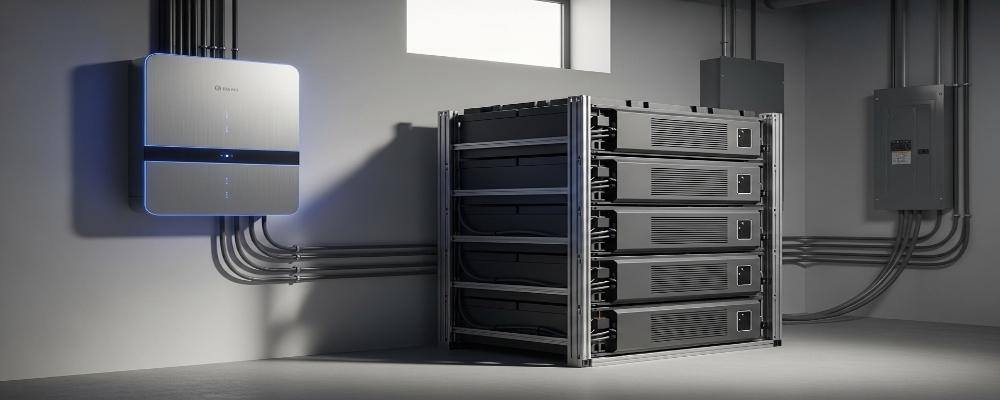 10kWh Home Battery Backup System: Is 90% DoD Better for Daily Solar Storage?
2026-09-29
-
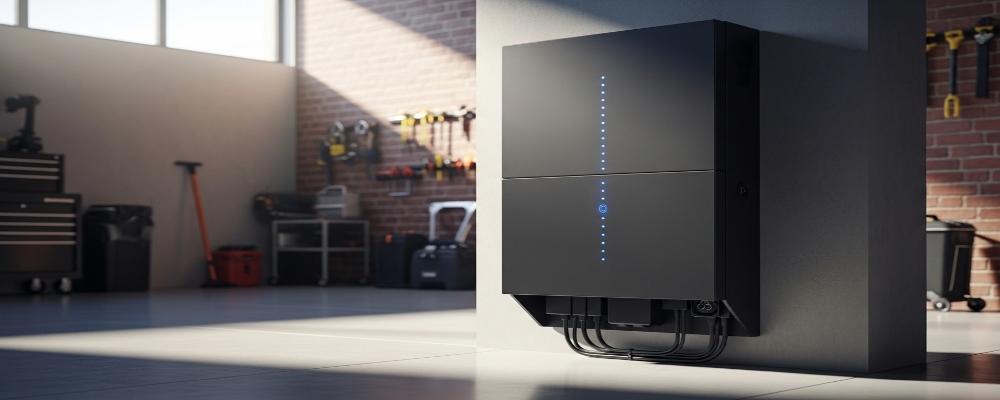 Integrated Home Energy Storage System 150–430V MPPT Design
2026-09-28
-
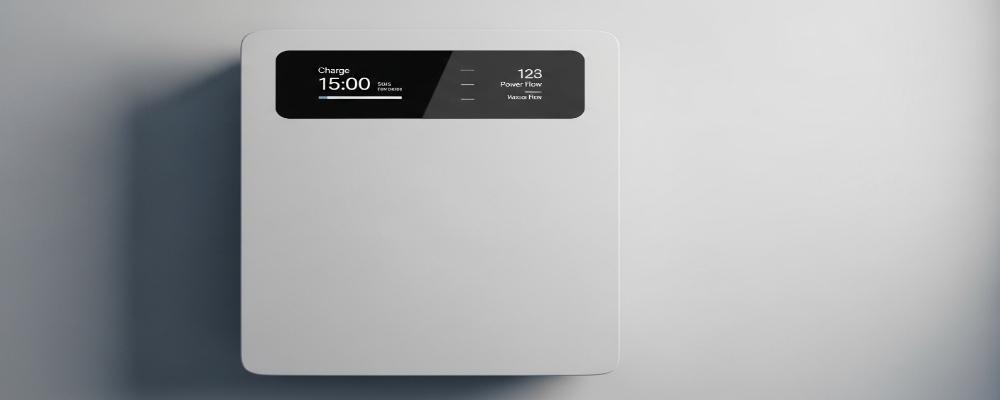 LiFePO₄ Residential Backup Battery SOC Accuracy in Parallel Systems
Share this:





.svg)






-899.svg)


