




UPS Home Battery vs Whole-Home ESS: Real Difference
A UPS home battery system is best for short, device-level protection, not whole-home backup. It can keep a computer, router, modem, or control device alive long enough to ride through a flicker or shut down safely. A whole-home ESS stores far more energy, supports selected household circuits, and can run essentials for hours or days. Choose UPS for continuity. Choose ESS for outage resilience.
Is a UPS home battery system the same as a whole-home ESS?
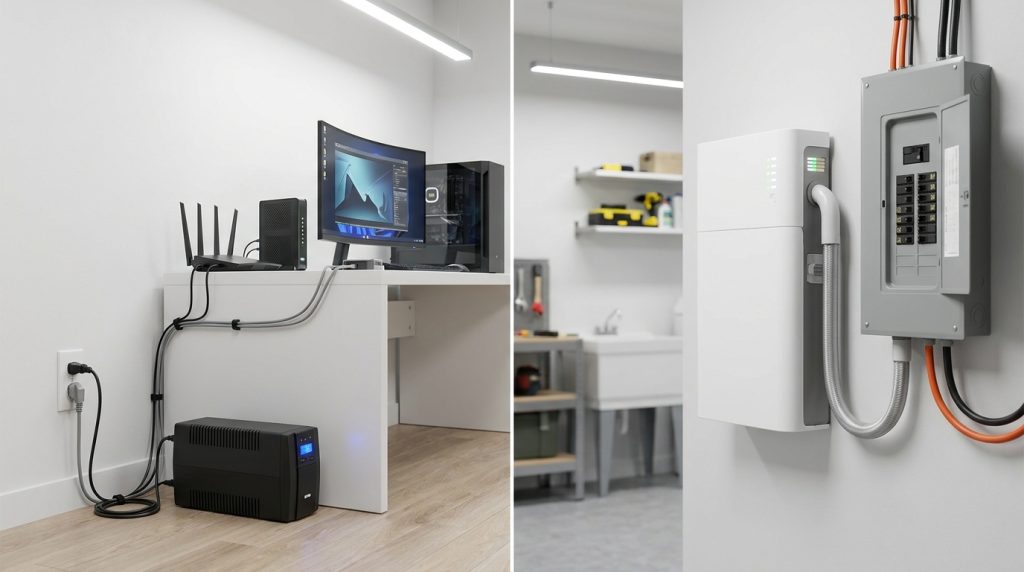
A UPS and an ESS both store energy, but they solve different problems. A UPS protects specific electronics from interruption, while a whole-home ESS manages larger household loads, longer runtime, and sometimes solar or tariff-based energy use.
The U.S. Department of Energy describes a UPS as equipment that uses converters, switches, and energy storage to maintain load power when input power fails. UL also separates UPS and energy storage systems by application, safety requirements, and code context.
| Feature | UPS home battery system | Whole-home ESS |
|---|---|---|
| Main job | Keep connected devices running during a power drop | Support selected home circuits during an outage |
| Typical backup target | Computers, routers, modems, security hubs | Refrigerator, lighting, outlets, pumps, selected essentials |
| Runtime goal | Minutes or short continuity | Hours or longer, depending on battery size |
| System scale | Device-level | Circuit-level or whole-home design |
For a broader explanation of residential energy storage design, use VoltaLink’s home energy storage guide.
What does a small home UPS actually protect?
A small home UPS protects devices, not circuits. It is useful for computers, routers, modems, security hubs, and controls that need clean backup power long enough to ride through a flicker or shut down safely.
ENERGY STAR frames UPS systems around protecting computers, servers, and telecom equipment from outages. That makes a UPS valuable for home offices, internet equipment, and sensitive electronics. It does not make a normal plug-in UPS a full home backup system.
- Use a UPS for a desktop computer that should not restart during a short outage.
- Use a UPS for a router and modem if internet continuity matters.
- Use a UPS for a NAS, server, or security hub that needs clean shutdown time.
- Do not treat a small UPS as a replacement for circuit-level backup.
For a wider outage strategy, the reader should move from device protection to an outage protection plan.
How long can a UPS run compared with a whole-home ESS?
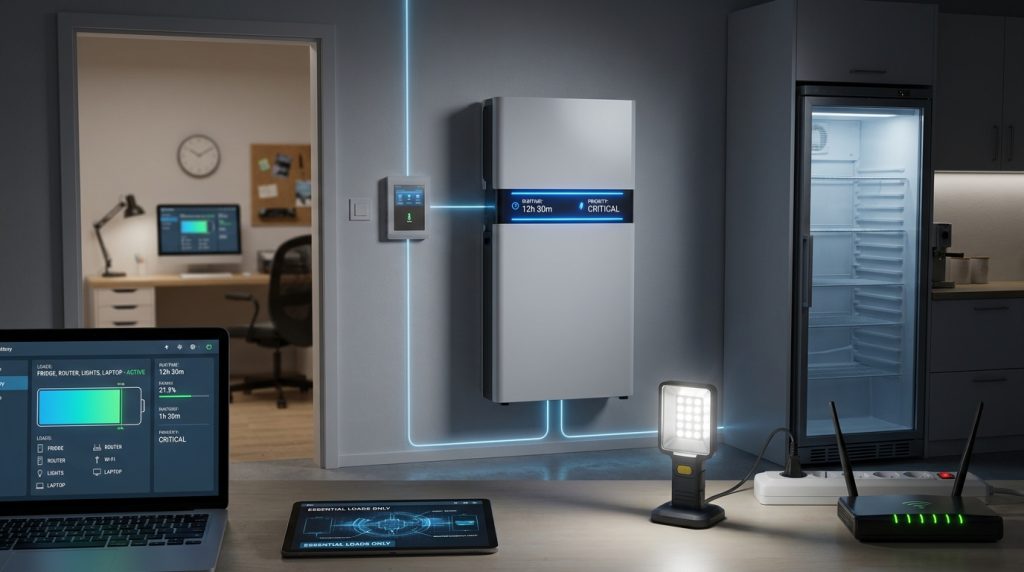
Runtime is the clearest divider. Many home or office UPS units are designed around minutes of support, while a residential ESS is sized in kWh to support selected rooms, appliances, or circuits for hours or longer.
A UPS may be perfect when the goal is to save work, keep Wi-Fi alive, or prevent a desktop from restarting. It becomes the wrong tool when the goal is to run a refrigerator overnight, support lights and outlets, or keep household essentials powered through a long outage.
Simple runtime formula: watts × hours = Wh
Use this simple check before believing any backup claim. If a load uses 300 watts and you want 4 hours of runtime, the energy need is about 1,200 Wh before losses and safety margin. A larger home ESS is usually planned in kWh, while small UPS systems are usually bought for short continuity.
| Backup goal | Better fit | Why |
|---|---|---|
| Keep router and modem on during a short outage | UPS | Small load, short runtime, device-level need |
| Prevent a desktop from shutting off | UPS | Fast transfer and safe shutdown matter most |
| Run refrigerator, lights, and outlets for hours | Whole-home ESS | Needs larger kWh storage and circuit-level output |
| Plan backup for longer emergency outages | Whole-home ESS | Needs load prioritization and larger capacity planning |
For deeper capacity planning, use the battery kWh tiers guide.
Why does transfer time matter, and when is faster not enough?
Transfer time matters most for electronics that cannot tolerate even a flicker. Whole-home backup may restore power quickly, but a dedicated UPS is still often the safer bridge for servers, desktops, and network equipment.
The Eaton UPS buying guide explains key UPS types, including standby, line-interactive, and online UPS systems. Online UPS systems can provide zero transfer time, while line-interactive UPS systems may transfer in about 2 to 4 ms. Some EPS-style backup modes are slower and may not suit sensitive equipment.
| Backup type | Transfer behavior | Best use |
|---|---|---|
| Online UPS | Zero transfer time | Servers, critical electronics, sensitive equipment |
| Line-interactive UPS | Very short transfer time | Home office, router, modem, desktop computer |
| Portable power station UPS or EPS mode | Varies by model | Useful only if transfer time fits the device |
| Whole-home ESS | Designed for household backup, not always device-level no-drop continuity | Selected home circuits and longer outages |
When to keep a device UPS even with an ESS
Keep a small UPS for equipment that should not restart, even if the home has an ESS. A desktop, NAS, server, router, modem, or security hub may still benefit from local no-drop protection during short disturbances or transfer events.
Can a UPS handle a refrigerator, pump, HVAC, or other surge load?
Surge loads are where many “UPS is enough” plans fail. Motors in refrigerators, pumps, and HVAC equipment need startup headroom, output quality, and circuit-level design that small plug-in UPS units usually cannot provide.
A UPS label may show VA, watts, or both. The useful output is the watt rating, not just the VA number. For motor loads, the startup surge can be much higher than the normal running load, so sizing only by running watts can lead to failure.
| Load type | Main issue | UPS fit | ESS fit |
|---|---|---|---|
| Desktop and monitor | Needs fast continuity | Good fit | Useful, but local UPS may still help |
| Router and modem | Low load, continuity matters | Good fit | Useful for longer outage support |
| Refrigerator | Startup surge and longer runtime | Usually weak fit | Better fit when sized properly |
| Sump pump | Motor surge and duty cycle | Usually weak fit | Better fit with correct inverter headroom |
| HVAC equipment | High starting load and system complexity | Poor fit | Needs careful ESS and electrical design |
For home outage planning, focus on critical load backup, not just battery size.
How do capacity and price-per-kWh change the decision?
UPS and ESS prices should not be compared by sticker price alone. A UPS can look expensive per kWh because it is built for fast switching, power conditioning, and device protection. A whole-home ESS costs more overall because it includes larger storage, inverter output, safety design, and circuit integration.
This is why the cheapest-looking option is not always the right option. If you only need a router and desktop to stay alive during brief outages, a UPS can be the smarter purchase. If you need refrigerator, lights, outlets, and longer backup, a whole-home ESS becomes more logical.
| Cost question | UPS answer | ESS answer |
|---|---|---|
| What am I paying for? | Fast device continuity and short backup | Larger energy storage and household backup |
| How should I judge value? | By transfer protection and connected load | By usable kWh, inverter output, and supported circuits |
| When does it make sense? | Short outages and sensitive electronics | Longer outages and essential home loads |
If the goal is household backup without rooftop solar, compare this decision with VoltaLink’s guide to a battery without solar.
When is a UPS enough, and when should you move to an ESS?
The verdict is simple: use a UPS for short continuity and an ESS for household resilience. Many homes benefit from both, with an ESS feeding essential circuits and small UPS units protecting sensitive electronics.
A UPS is enough when the outage goal is narrow. It works well for a home office, internet equipment, security electronics, or safe shutdown time. It is not enough when the goal is to run appliances, pumps, HVAC, or selected rooms for hours.
| Your situation | Best choice | Reason |
|---|---|---|
| You only need your computer and Wi-Fi to survive short outages | UPS | Fast transfer and short runtime are enough |
| You need refrigerator, lights, and outlets during outages | Whole-home ESS | You need kWh capacity and circuit-level backup |
| You work from home and also want home outage protection | Both | ESS covers household loads, UPS protects sensitive electronics |
| You want multi-day backup planning | Whole-home ESS | You need load prioritization and deeper capacity planning |
If the real goal is multi-day emergency coverage, continue with 72-hour backup planning.
What should the homeowner check before buying?
Before buying, list the exact devices or circuits you need to support. Do not start with battery size. Start with the outage problem, the runtime target, and the loads that matter most.
For whole-home ESS planning, safety and installation matter too. The EPA notes that BESS projects should consider permitting, chemistry, battery management systems, integration, and safety standards such as NFPA 855, UL 9540, and UL 9540A.
- List the devices or circuits that must stay powered.
- Separate sensitive electronics from motor loads.
- Set a runtime target in minutes, hours, or days.
- Check watts, VA, power factor, and surge requirements.
- Confirm transfer-time tolerance for computers, servers, NAS units, and routers.
- Check whether the system needs professional installation.
- Confirm safety standards, warranty, monitoring, and after-sales support.
For a more complete system overview, review all-in-one ESS basics.
FAQ
What is a UPS battery?
A UPS battery is the storage part of an uninterruptible power supply that keeps connected devices running when grid power fails. In a home, it is usually meant for electronics such as a computer, router, modem, or security hub, not whole-home circuits.
How long will a UPS battery last during a power outage?
A typical small UPS is usually planned around minutes, not overnight home backup. Runtime depends on battery size and connected load, so a desktop and monitor drain it faster than a router alone. Use load watts × desired hours to sanity-check claims.
Can a UPS power an entire house?
No, a normal plug-in UPS should not be treated as a whole-house battery. Whole-home ESS systems use larger kWh storage, integrated inverters, transfer equipment, and circuit-level design to support appliances and selected loads for longer outages.
What is the difference between a UPS and a surge protector?
A UPS provides temporary battery backup, while a surge protector only helps limit voltage spikes. Some UPS units include surge protection, but a surge protector alone will not keep a computer, router, or modem running during an outage.
Can I use a portable power station as a UPS for my computer?
Sometimes, but only if its UPS or EPS transfer time is fast enough for the computer and monitor. A dedicated line-interactive or online UPS remains safer for desktops, NAS units, and servers that cannot tolerate a restart.
Do I still need a UPS if I install a whole-home ESS?
Yes, you may still need a UPS for sensitive electronics. A whole-home ESS can cover longer outages, but a local UPS can protect a desktop, server, router, or NAS during transfer events and short power-quality disturbances.
What size UPS do I need for my home office?
Add the watts of the devices you must keep running, then choose a UPS with extra capacity above that load. Runtime still depends on the actual connected load, so a larger VA number alone does not guarantee long backup time.

-

 OEM Residential Energy Storage Solutions: Passive vs. Active Cell Balancing
2026-09-30
-
 Smart Home Battery with BMS Communication: Cybersecurity and BMS Safety
 -
 10kWh Home Battery Backup System: Is 90% DoD Better for Daily Solar Storage?
2026-09-29
-
 Integrated Home Energy Storage System 150–430V MPPT Design
2026-09-28
-
 LiFePO₄ Residential Backup Battery SOC Accuracy in Parallel Systems
Share this:





.svg)






-899.svg)


