




Self-Install All-in-One Battery: Where to Stop
A self-installation all-in-one battery is usually limited to safe preparation, not full electrical installation. Homeowners can often plan the location, prepare documents, set up monitoring access, and coordinate mounting support. A licensed electrician or certified installer should handle AC wiring, main panel connection, grid interconnection, permits, protection settings, commissioning, and final sign-off.
All-in-one batteries look simple because the battery, inverter, controls, and monitoring are often packaged together. That can reduce setup complexity, but it does not remove electrical safety rules. If you are a handy homeowner, the safest path is to do the useful prep work, then stop before power wiring, grid connection, or commissioning. This guide shows where that line sits.
Can you self-install an all-in-one battery at home?
An all-in-one battery can simplify installation, but it usually does not make a full home battery install safe or legal for DIY. Homeowners can prepare the site and app setup, while AC wiring, grid connection, permits, and sign-off belong to licensed professionals.
The word “all-in-one” can be misleading. It means the battery system is more integrated, not that it is automatically safe to wire into a home panel by yourself. A fixed residential energy storage system still interacts with household power, backup circuits, utility rules, and fire safety requirements.
For broader system planning, start with a full home ESS guide before deciding where the battery should sit in your home energy setup. This article focuses on the DIY boundary only. For a deeper reality check on marketing claims, read about plug-and-play limits.
A good rule is simple: prepare what stays unpowered, document what the installer needs, and stop before anything that changes electrical behavior. UL’s energy storage system certification guidance shows why complete ESS safety depends on the system, inverter, installation, and standards together.
What does “self-installation” safely include?
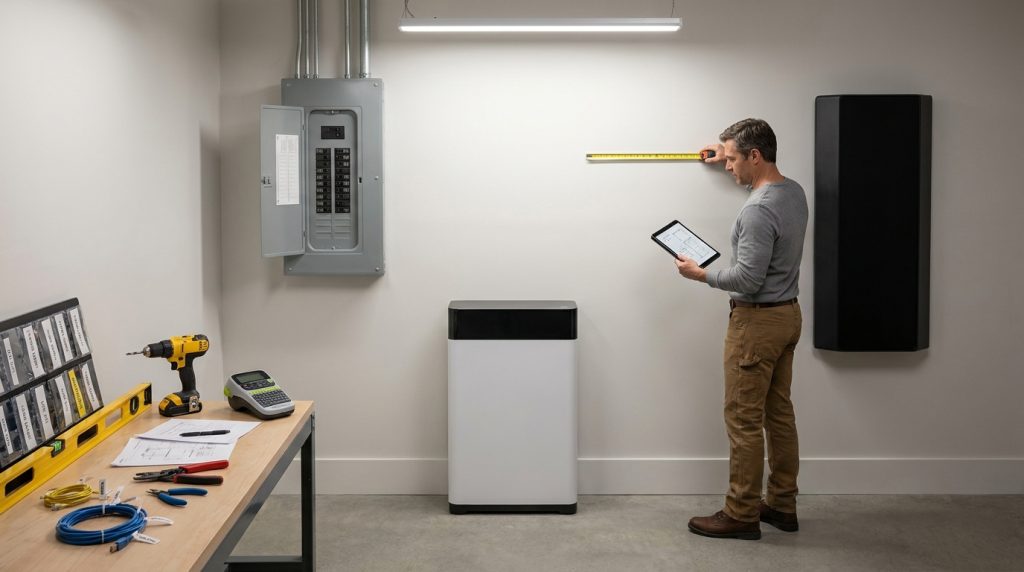
Safe self-installation usually means preparation, not energizing the system. A homeowner may plan the location, prepare space, document serial numbers, set up Wi-Fi, and coordinate delivery, but should not connect AC wiring or modify protected electrical parts.
A practical homeowner can save time by making the job site ready. That may include measuring the wall or floor area, clearing the installation path, confirming dry indoor conditions, preparing router access, and collecting manuals. If the battery needs a monitoring app, you can create the account before installation day.
Use this preparation checklist before touching the unit:
- Confirm the battery model, capacity, voltage, and certification documents.
- Photograph the main panel, meter area, existing inverter, and proposed battery location.
- Measure working clearance around the proposed battery space.
- Keep the floor or wall area clean, dry, and easy to access.
- Prepare Wi-Fi details, app login, router location, and phone access.
- Ask the installer before drilling brackets or unpacking sealed equipment.
- Do not power on, open protected covers, or connect AC wiring.
Small-space planning matters because battery clearance, access, and ventilation can affect where the system can go. If the site is tight, review small-space battery planning before you assume a garage wall, utility room, or balcony cabinet will work.
Where should a homeowner stop and call an electrician?
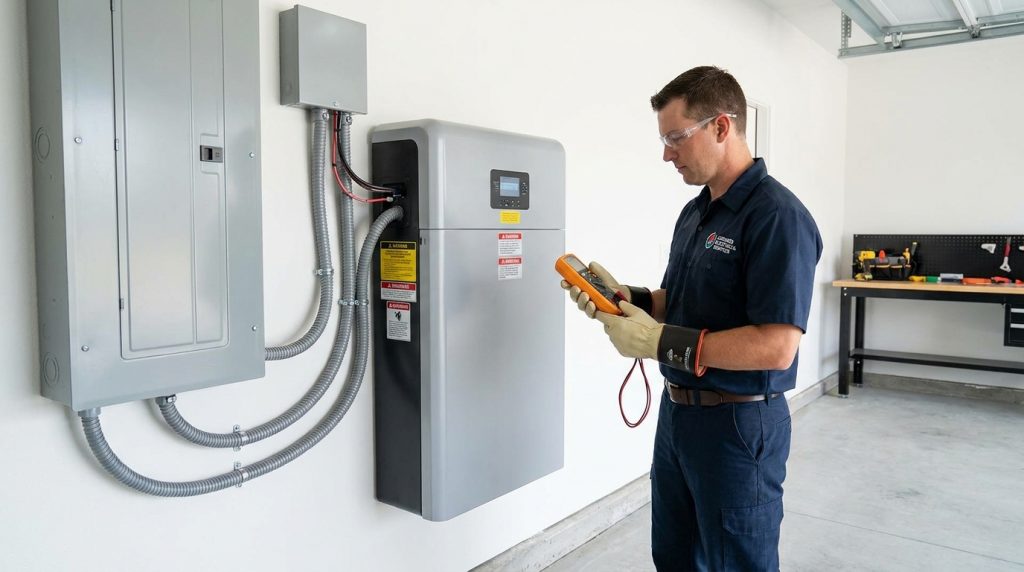
Stop when the work touches AC power, the main electrical panel, grid export, transfer equipment, protected wiring, or final commissioning. These steps affect safety, code compliance, warranty, insurance, and utility approval in most regions.
All-in-one is not the same as self-install. It reduces wiring complexity for the installer, but it does not remove the need for permits, protection settings, and grid-safe commissioning. That is the hard stop line for most residential systems.
| Task | Homeowner may do | Ask installer first | Licensed electrician required | Why it matters |
|---|---|---|---|---|
| Choose proposed location | Yes | Yes | No | Location affects clearance and access |
| Clear floor or wall space | Yes | No | No | Makes the job safer and faster |
| Photograph panel and inverter | Yes | No | No | Helps pre-install review |
| Create app account | Yes | Yes | No | Supports monitoring setup |
| Mount wall bracket | Sometimes | Yes | Sometimes | Wrong mounting can force rework |
| Stack or move battery modules | Sometimes | Yes | Sometimes | Weight and warranty rules vary |
| Connect communication cable | Sometimes | Yes | Sometimes | Only if allowed by the manual |
| Connect AC wiring | No | No | Yes | Touches household power |
| Work inside main panel | No | No | Yes | High-risk electrical work |
| Install backup gateway or transfer switch | No | No | Yes | Controls backup circuits |
| Configure grid export | No | No | Yes | Affects utility compliance |
| Final commissioning | No | No | Yes | Confirms safe operation and settings |
| Inspection sign-off | No | No | Yes | Needed for compliant fixed systems |
The cheapest DIY route is not always the lowest-risk route. If a self-installed battery voids warranty or blocks inspection, the saved labor cost can disappear quickly. For the handoff step, use a commissioning handoff checklist before anyone powers up the system.
Is low-voltage prep different from AC-coupled battery work?
Low-voltage prep may be homeowner-friendly when the unit is not energized, but AC-coupled battery work is different because it ties into household AC wiring and often the grid. That boundary usually triggers permits, qualified labor, and inspection.
Low-voltage work usually means communication, monitoring, networking, or control wiring. It can still matter, but it is not the same as connecting a battery inverter to your home’s AC electrical system. AC means alternating current, the type of power your home circuits use.
The U.S. Department of Energy explains that AC-coupled and DC-coupled storage connect differently. In simple terms, AC-coupled batteries connect through AC equipment, while DC-coupled storage sits closer to the solar DC side through inverter design.
| Work type | Simple meaning | DIY boundary |
|---|---|---|
| Wi-Fi setup | Connects monitoring to the internet | Usually safe before commissioning |
| App login | Creates owner access | Usually safe |
| Communication cable | Helps devices talk | Ask installer first |
| Battery module connection | Connects stored energy hardware | Installer or manufacturer rules apply |
| AC-coupled wiring | Connects battery inverter to home AC power | Electrician required |
| Main panel work | Connects to home distribution circuits | Electrician required |
| Utility export setting | Controls grid interaction | Qualified installer required |
Do not treat every low-voltage or DC cable as harmless. Battery systems can store high energy even when the grid is off. The practical difference is this: network setup supports the system, but AC or grid work changes how electricity flows through your home.
Does the rule change by region?
The exact rule changes by region, but the safety boundary is similar. If the system is fixed to a home, connects to AC wiring, supports backup loads, or interacts with the grid, expect a licensed electrician, certified installer, permit, inspection, or utility notification.
| Region | Typical pro-required work | Paperwork trigger | Homeowner-safe prep | Red flag |
|---|---|---|---|---|
| United States | Main panel, transfer equipment, AC wiring, inspection | AHJ permit, electrical code, utility rules | Photos, site prep, manuals, Wi-Fi | No UL/ESS certification proof |
| United Kingdom | Battery wiring, inverter work, grid notification | DNO application, MCS-related documents, FIT notice if relevant | Location prep, access, documents | Installer will not accept owner-supplied unit |
| European Union | Fixed AC wiring and grid-connected work | Local electrical code and grid operator rules | Product documents and space planning | No local compliance marking |
| Australia | Grid battery connection and certification | Licensed electrician and local connection rules | Site access and installer questions | DIY grid connection attempt |
| New Zealand | Fixed wiring and grid-connected work | Local electrical safety and network rules | Non-powered prep | Opened or altered protected covers |
| Canada | Panel work, AC wiring, inspection | Local electrical code, utility approval | Photos, clearance prep, documents | Missing certification documents |
| Off-grid or portable | Fixed AC wiring still needs review | Depends on whether it feeds building circuits | More DIY possible for portable DC loads | Connecting to home circuits without a pro |
A portable power station for camping is different from a fixed residential ESS. The off-grid cabin example is also mixed. You might assemble a small DC load setup, but feeding fixed AC circuits inside a building is a different safety category.
For a buyer with existing solar, this is where the design matters. A hybrid system may need inverter review, battery compatibility checks, and grid approval. Use the hybrid solar battery systems guide for broader system design, then let the installer define the legal work boundary.
What can go wrong if you DIY too far?
The biggest DIY risk is not only personal injury. Going too far can create fire risk, failed inspection, denied warranty, rejected utility approval, or insurance problems, especially if the battery was imported without complete transport and test documentation.
Battery systems store a lot of energy in a small space. Wrong conductor sizing, incorrect protection settings, poor mounting, bad ventilation, or unapproved wiring can create safety problems. UL’s ESS code FAQ explains how installation codes, fire testing, and system certification connect to safe energy storage use.
A handy homeowner with a clean garage wall may think the whole job is simple. The useful part is measuring the space, sharing photos, and preparing access. The unsafe part starts when they decide to connect AC output, change backup circuits, or power the system before installer review.
Warranty and inspection risks
Warranty-sensitive buyers should be careful before opening, modifying, or mounting the unit. Mounting the unit early can help only when the installer approves it. If the wall location, clearance, or bracket method is wrong, the installer may need to remove and redo the work.
This is also where a warranty checklist helps. It should confirm who can install the product, what documents are required, and which actions can void coverage. Ask before cutting cables, opening covers, changing settings, or connecting third-party parts.
Shipping and documentation risks
Direct-import batteries can add a different kind of delay. Lithium batteries are regulated in transport, and PHMSA says lithium batteries must follow hazardous materials requirements when shipped by air, road, rail, or water in the United States.
For example, a buyer may order an all-in-one battery from overseas, then the carrier asks for SDS, UN 38.3 test summary, or correct battery labeling documents. IATA warns that battery shipping mistakes in marking, labeling, or packaging can cause delays and safety risks.
What should you prepare before the installer arrives?
The best DIY contribution is clean preparation: documents, photos, access, Wi-Fi, app login, safe workspace, and delivery coordination. Ask the electrician what can be pre-mounted, and leave energizing, protection settings, and sign-off untouched.
Preparation is where a homeowner can be useful without creating risk. If you already bought the battery, keep the invoice, serial number, model sheet, manual, warranty document, and certification details together. If the unit was imported, collect SDS or MSDS documents and the UN 38.3 test summary before delivery problems appear.
Use this pre-install checklist:
- Share photos of the proposed battery location, main panel, meter, and existing solar inverter.
- Confirm the battery model, inverter type, and installation manual with the installer.
- Ask if the installer accepts homeowner-supplied equipment.
- Confirm whether you may mount brackets before installation day.
- Prepare clear access from delivery point to installation point.
- Set up Wi-Fi, app login, router access, and monitoring account.
- Keep battery shipping paperwork in one folder.
- Do not energize the battery before professional commissioning.
A direct-import buyer has one extra step. Ask the supplier for transport and safety documents before paying the final invoice. PHMSA notes that lithium cell and battery manufacturers must make UN 38.3 test summaries available on request.
How should you talk to the electrician before buying the battery?
Talk to the electrician before you buy if the system will connect to your home wiring. A pre-purchase review can prevent the worst outcome: owning a battery that no qualified installer wants to connect, certify, or support.
Ask these questions before placing an order:
- Will you install a homeowner-purchased all-in-one battery?
- Is this model certified or listed for residential use in my region?
- Does it work with my existing solar inverter or backup panel plan?
- What permits, utility approvals, or inspections are needed?
- Can I prepare the mounting location before you arrive?
- What homeowner actions would void the warranty?
- Will you handle commissioning and provide sign-off documents?
- Do you need SDS, UN 38.3, inverter specs, or grid compliance documents?
This matters for an existing solar owner adding an AC-coupled battery. They may already have panels and an inverter, but the new battery still needs compatibility review. AC coupling, backup circuits, export settings, and utility paperwork are not safe guessing areas.
What is the safest DIY/pro handoff plan?
The safest plan is to divide the project before work starts. You handle planning, documents, access, and approved preparation. The electrician or certified installer handles wiring, protection, commissioning, inspection, and sign-off.
Use this handoff plan:
- Choose the battery type and proposed location.
- Verify certification, warranty terms, and shipping documents.
- Ask the installer to review the product before purchase if possible.
- Confirm what homeowner prep is allowed.
- Prepare the space, photos, Wi-Fi, app login, and access route.
- Let the professional connect the system to AC power or the grid.
- Keep final commissioning, inspection, and warranty records.
For an off-grid cabin owner, the same thinking still helps. A portable DC load setup may allow more hands-on work. A fixed system feeding AC circuits needs professional review because it changes the building’s electrical behavior.
What to Do Next
The safest self-installation all-in-one battery plan is not full DIY. It is a clear handoff. Do the preparation that reduces installer time, then stop before wiring, grid connection, protection settings, and commissioning.
Before buying, send the model sheet, manual, proposed location photos, and certification documents to a licensed electrician or certified installer. If they approve the system and tell you what prep is safe, you can move forward with less risk. If they hesitate, solve that problem before the battery reaches your door.
Frequently Asked Questions
Can I use an all-in-one battery with my existing solar system?
Yes, but compatibility depends on the inverter, coupling method, certification, and local grid rules. Existing solar systems often need installer review because AC-coupled and DC-coupled battery designs connect differently.
How long does a home battery installation take?
The physical installation may take one or two days for a simple residential system, but permits, utility approval, inspection, delivery, and documents can extend the timeline. Direct-import batteries can add extra delay if shipping paperwork is incomplete.
What is the installation process?
The safe process is review, permit, site preparation, mounting, electrical connection, configuration, inspection, and commissioning. A homeowner can help with documents and site access, but the electrical connection and sign-off should be handled by a qualified professional.
Do I need internet or an app to use it?
Many all-in-one batteries can operate locally, but internet and app access are often needed for monitoring, firmware updates, alerts, installer diagnostics, and warranty support. Set up the network early, but do not treat app access as final commissioning.
How do we build a DIY home battery backup system?
A fully DIY home battery backup is mainly suitable for small portable or off-grid projects, not fixed grid-tied home systems. For a residential all-in-one battery, use DIY effort for planning and preparation, then let a licensed electrician handle wiring and sign-off.
Are all-in-one batteries eligible for rebates?
They may be eligible if the product, installer, and installation meet the program’s rules. Many rebate or tariff programs require certified equipment, qualified installation, utility notification, or proof of grid-compliant commissioning.

-

 OEM Residential Energy Storage Solutions: Passive vs. Active Cell Balancing
2026-09-30
-
 Smart Home Battery with BMS Communication: Cybersecurity and BMS Safety
 -
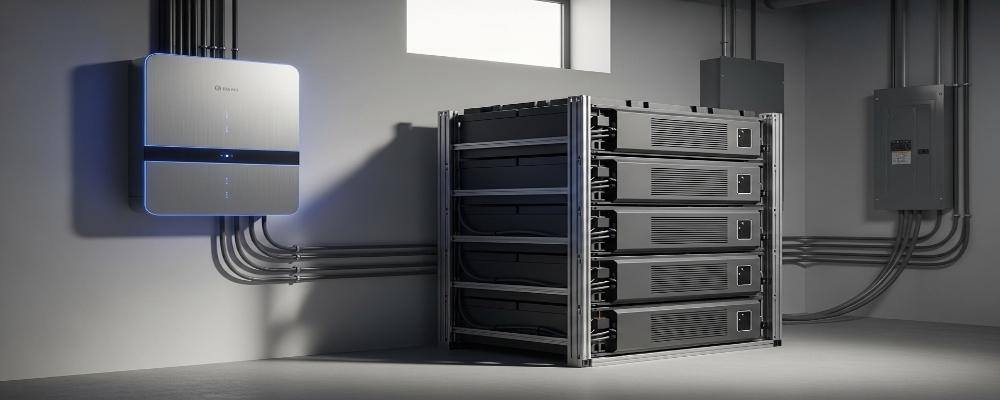 10kWh Home Battery Backup System: Is 90% DoD Better for Daily Solar Storage?
2026-09-29
-
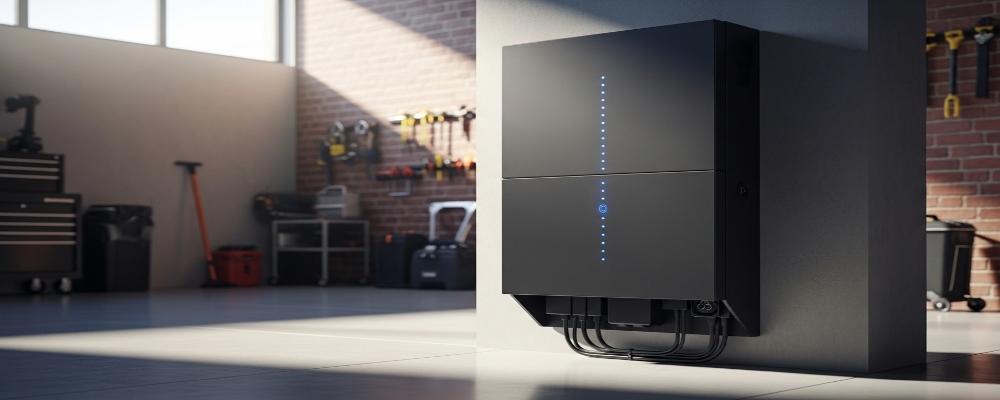 Integrated Home Energy Storage System 150–430V MPPT Design
2026-09-28
-
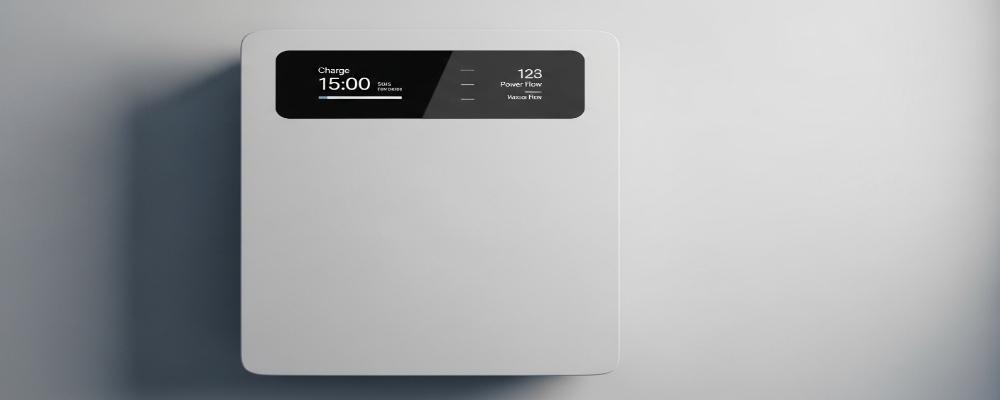 LiFePO₄ Residential Backup Battery SOC Accuracy in Parallel Systems
Share this:





.svg)






-899.svg)


