




Whole-Home Energy Storage vs Partial: Pick a Path
Whole-home energy storage is best when you want near-normal living during outages, but partial backup is usually the better value for essentials like refrigeration, lights, WiFi, sump pumps, and medical devices. Compare both paths by installed cost, required kWh, inverter output, permit complexity, and cost-per-comfort-hour before requesting quotes.
Should you choose whole-home energy storage or partial backup?
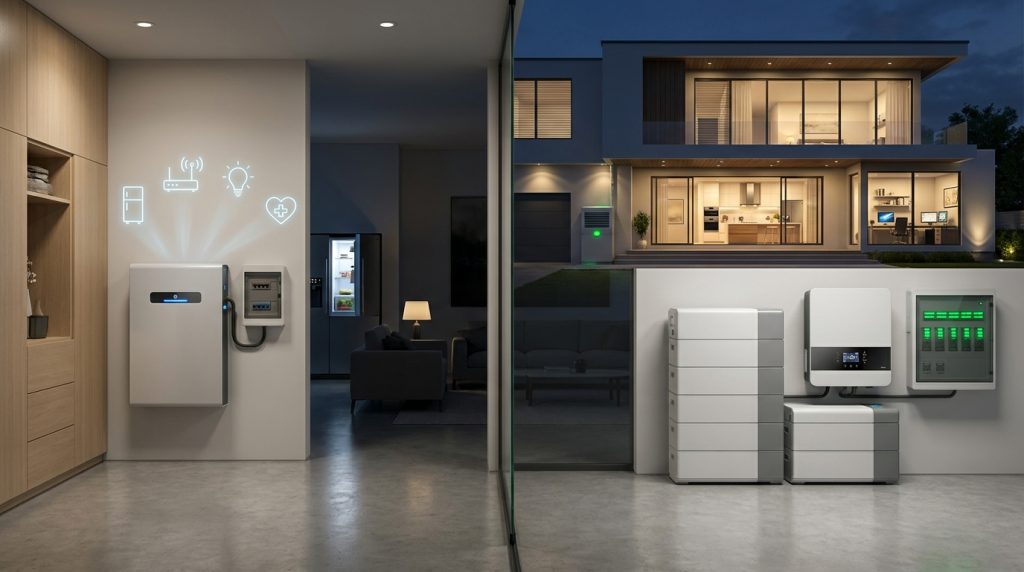
Partial backup is usually the smarter first quote if your goal is safety, refrigeration, WiFi, lights, and basic comfort. Whole-home energy storage makes sense when you need central HVAC, well pumps, medical resilience, or near-normal living during outages.
The real question is not “Can I back up the whole house?” The better question is “Which loads must keep running, and how much am I willing to pay for extra comfort?” That shift makes the decision easier and keeps the quote focused on real outage needs.
| Backup path | Best for | Comfort level | Cost exposure | Design complexity |
|---|---|---|---|---|
| Essential partial backup | Fridge, lights, WiFi, chargers, sump pump, medical devices | Basic safety and function | Lowest | Usually simpler |
| Expanded partial backup | Essentials plus one comfort zone, office, well pump, or mini-split | Balanced comfort | Medium | Moderate |
| Whole-home backup | Most or all home circuits, with load management for large appliances | Closest to normal living | Highest | Highest |
What does each backup path actually power?
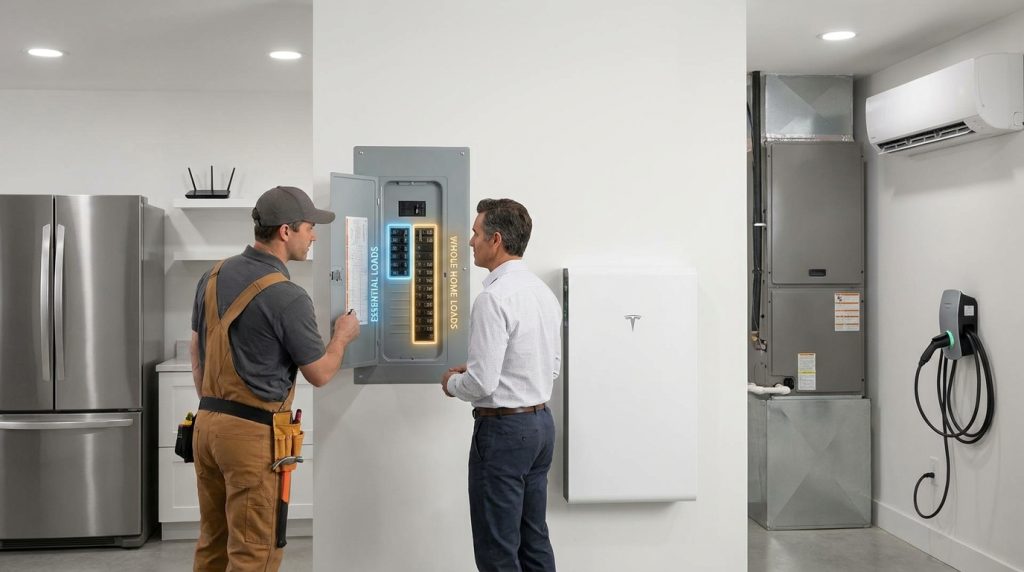
Partial backup powers selected critical circuits, not every outlet. Whole-home backup aims to keep most or all household circuits available, but large loads such as central AC, dryers, ranges, and EV charging may still need load management.
An essential backup system protects the circuits you cannot afford to lose. An expanded partial system adds limited comfort. A whole-home system gives a broader outage experience, but it still needs careful design because high-draw loads can drain batteries quickly or exceed inverter output.
| Load type | Essential partial backup | Expanded partial backup | Whole-home backup |
|---|---|---|---|
| Refrigerator and freezer | Usually included | Usually included | Included |
| Lights and WiFi | Usually included | Usually included | Included |
| Phone and laptop charging | Usually included | Usually included | Included |
| Sump pump or medical device | Often prioritized | Often prioritized | Included if designed correctly |
| Mini-split or one comfort zone | Sometimes excluded | Often included | Included if capacity allows |
| Central HVAC | Usually excluded | Sometimes limited | Possible with proper sizing and controls |
| Electric dryer, range, or EV charger | Usually excluded | Usually excluded | May need load management |
For a deeper explanation of how a hybrid ESS switches between grid, battery, solar, and outage operation, link this section to backup operating modes once that page is live.
How do installed costs compare?
Whole-home backup costs more because it increases both stored energy and power delivery requirements. The cheapest path is usually a partial-load system, while whole-home designs move into higher installed-cost ranges as batteries, controls, and electrical work increase.
The final quote depends on battery count, usable capacity, inverter output, backup panel work, transfer equipment, smart load controls, permits, inspection, and local labor. If imported batteries are part of the quote, tariff or supply-chain timing can also affect price, so ask installers how long the quote is valid.
| Cost driver | Partial backup impact | Whole-home backup impact |
|---|---|---|
| Battery capacity | Lower because fewer loads are backed up | Higher because more loads need stored energy |
| Inverter output | Can be sized around essential circuits | Must handle larger loads and surge demand |
| Electrical work | Often focused on a critical-load panel | May need more design, controls, and panel planning |
| Load management | Less likely unless specific loads require it | More likely for HVAC, dryer, range, or EV charging |
| Permit complexity | Usually simpler | Often more detailed because more circuits are involved |
How much battery capacity do you need?
Battery capacity should be sized from the loads you truly need during an outage, not from the label “whole-home.” A smaller essential-load design can run longer than a larger whole-home design if the whole-home system feeds high-draw appliances.
Think about two numbers. kWh is stored energy. kW is how much power the system can deliver at one time. A battery with enough kWh can still feel undersized if the inverter cannot start or run the loads you expect.
Simple runtime formula
Use this simple planning formula before comparing quotes: usable battery capacity ÷ average running load = estimated runtime. For example, if essential loads are low, the battery lasts longer. If the same system runs central AC or electric heat, runtime drops quickly.
Why one battery may work for essentials but not the whole house
One battery may be enough for refrigeration, WiFi, lights, chargers, and a few critical devices. That does not mean it can run the whole home normally. Whole-home backup often needs multiple batteries, higher inverter output, and clear rules for large loads.
When the writer links this section, use inverter sizing guide once that page is live.
What is the cost-per-comfort-hour?
Cost-per-comfort-hour compares the extra installed cost of a bigger backup system with the extra hours it can run comfort loads. It helps homeowners avoid paying whole-home prices when essential backup already solves the real outage problem.
A comfort hour is not basic survival power. It is an hour of extra lifestyle support, such as cooling one room, running a home office, using more outlets, or keeping more normal routines during an outage.
Example calculation
Use the metric only as a quote-comparison tool, not as a universal price rule. Ask each installer for an essential, expanded partial, and whole-home option, then compare the added cost against the added comfort hours.
| Option | What it adds | How to compare | Decision signal |
|---|---|---|---|
| Essential backup | Critical circuits only | Base quote | Best if safety and basic function are enough |
| Expanded partial | Essentials plus limited comfort | Extra cost ÷ added comfort hours | Best if one comfort zone changes the outage experience |
| Whole-home backup | Most household circuits | Extra cost ÷ added whole-home comfort hours | Best if near-normal living is worth the higher quote |
Whole-home backup is not automatically the best backup. It works when comfort loads are truly necessary, but essential backup is safer for the budget when the real goal is refrigeration, communication, lighting, sump pump, and medical continuity.
Does whole-home backup make permits and installation harder?
Whole-home backup is often more complex because more loads must be controlled safely during grid outages. Essential-circuit systems can be simpler because the installer backs up selected circuits instead of trying to support every major load.
Residential energy storage should be designed around safe installation, listed equipment, code compliance, and inspection. For authority references, the writer can cite DOE resilience guidance, UL energy storage system certification information, and NFPA ESS safety guidance.
- Ask whether the system uses listed ESS equipment under relevant safety standards.
- Ask whether high-draw appliances need smart load control.
- Ask whether solar can recharge the battery during an outage.
- Ask whether the quote includes permits and inspection.
- Ask whether the design uses a critical-load panel or whole-home load management.
- Ask what happens to HVAC, dryer, range, well pump, and EV charging during backup mode.
If the homeowner already has solar, this section should naturally point to retrofit battery options once that page is available.
Which path fits your home size?
Small homes usually start with essential backup, mid-size homes often fit expanded partial backup, and large all-electric homes may justify whole-home storage. The deciding factor is not square footage alone, but which loads must run during an outage.
Home size helps frame the quote, but load profile matters more. A small home with medical equipment or a sump pump may need priority backup. A large all-electric home may still choose partial backup if whole-home comfort loads make the quote too high.
| Home type | Recommended first quote | Why | Watch-out |
|---|---|---|---|
| Small home or condo | Essential partial backup | Often enough for fridge, WiFi, lights, chargers, and safety loads | Do not overspend on whole-home backup if comfort loads are not critical |
| Mid-size home | Expanded partial backup | Balances cost and comfort by adding one zone or priority appliance | Make sure the backed-up load list is clear |
| Large or all-electric home | Whole-home quote plus partial quote | High-draw loads may justify a larger system | HVAC, dryer, range, well pump, and EV charging need careful review |
For deeper sizing after the reader chooses a path, link to backup sizing steps once the page is live.
What should you ask installers before choosing?
If two installer quotes are not based on the same backed-up load list, they are not comparable. A cheap whole-home quote may hide load-shedding limits, while a partial-backup quote may be more honest about real runtime.
Ask for three versions when possible: essential backup, expanded partial backup, and whole-home backup. Then compare kWh, kW, surge capacity, backed-up circuits, runtime assumptions, load controls, permit scope, monitoring, and solar recharge behavior.
- Which circuits are backed up in this quote?
- What is the usable battery capacity in kWh?
- What is the inverter output in kW?
- Which appliances are excluded during backup mode?
- Will central HVAC, well pump, dryer, range, or EV charging work?
- Can solar recharge the battery during an outage?
- Does the quote include permits, inspection, and required electrical work?
- What happens when the battery reaches low state of charge?
- Does the system need smart load management?
- How does the monitoring app show backup status and energy use?
Frequently Asked Questions
Can one battery power my whole house?
One battery usually cannot power an entire home in a normal way if major loads are included. It may support essential circuits for many hours, but central HVAC, electric ranges, dryers, and EV charging can drain capacity quickly.
What is essential partial battery backup?
Essential backup powers only selected circuits that matter most during an outage. These usually include refrigeration, lights, WiFi, chargers, sump pump, medical devices, and sometimes one comfort load like a mini-split.
How long will a battery last during a power outage?
Battery runtime depends on usable kWh divided by the average load you run. The same battery can last much longer on lights, fridge, and WiFi than it will when powering central AC or electric heating.
How many batteries do I need for whole-home backup?
Whole-home backup usually needs multiple batteries because it must handle both stored energy and power output. The exact number depends on daily kWh use, surge loads, HVAC needs, outage length, and whether solar can recharge the system.
Can solar panels recharge my battery during an outage?
Solar panels can recharge a battery during an outage if the system is designed for islanded backup operation. The installer must confirm inverter compatibility, transfer equipment, load limits, and whether solar charging continues when the grid is down.
Do home batteries work without solar panels?
Home batteries can work without solar if they charge from the grid and discharge during outages or peak-rate periods. Without solar, runtime depends only on stored capacity and your selected loads.
How much does whole-home battery backup cost?
Whole-home battery backup commonly costs more than partial backup because it needs more batteries, higher power output, load controls, and more electrical work. Published competitor examples place whole-home systems above partial backup ranges, but local quotes decide the final number.

-

 OEM Residential Energy Storage Solutions: Passive vs. Active Cell Balancing
2026-09-30
-
 Smart Home Battery with BMS Communication: Cybersecurity and BMS Safety
 -
 10kWh Home Battery Backup System: Is 90% DoD Better for Daily Solar Storage?
2026-09-29
-
 Integrated Home Energy Storage System 150–430V MPPT Design
2026-09-28
-
 LiFePO₄ Residential Backup Battery SOC Accuracy in Parallel Systems
Share this:





.svg)






-899.svg)


