




Charging LiFePO4 Home Batteries the Right Way
LiFePO4 home battery charging best practices start with a LiFePO4-compatible CC/CV profile, BMS-controlled charging, and strict temperature limits. Use short absorption instead of long lead-acid-style float, do not charge below 0°C unless the pack has approved heating, and schedule occasional full charges only when the BMS or manufacturer needs balancing. Stop charging when the BMS reports a fault.
Charging advice for LiFePO4 batteries gets messy fast. One forum says disable float, another says charge to 100% often, and an inverter menu may still show lead-acid settings. For a home energy storage system, the safest answer is not a single magic voltage. It is a controlled charging profile, correct temperature rules, and a BMS that can stop the charger when the battery is not ready.
What is the right way to charge a LiFePO4 home battery?
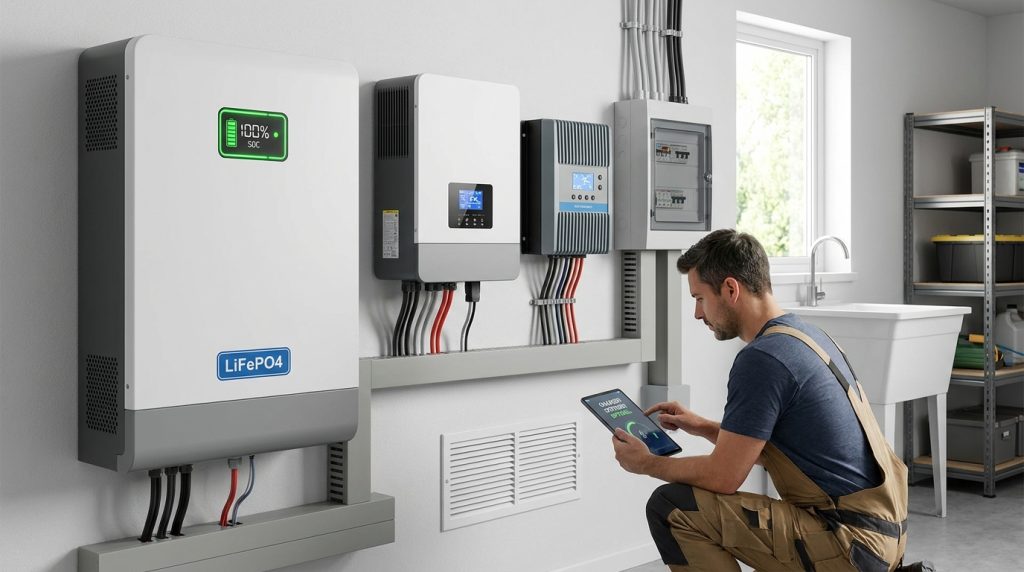
Charge a LiFePO4 home battery with a compatible CC/CV profile, manufacturer-approved voltage and current limits, and active BMS control. Daily operation should prioritize safe automation over manual overrides or forum-based charger tweaks.
CC/CV means constant current and constant voltage. The charger first sends a steady current during bulk charging, then holds a set voltage while the current tapers near full charge. This charging method fits how lithium-ion batteries move lithium ions between battery materials during charge and discharge, as explained by the U.S. Department of Energy.
For homeowners, this means the inverter-charger, solar charge controller, and battery should all agree on the same profile. For installers, it means commissioning should start with the battery data sheet, not a copied online setting. If the system is part of a wider backup or solar setup, hand broader sizing and system planning to the complete home storage guide.
| Normal condition | Charger behavior | BMS expectation | Homeowner action |
|---|---|---|---|
| Daily cycling | Charge within approved voltage and current limits | Monitor voltage, current, SOC, and temperature | Let the system run |
| Near full charge | Current tapers during absorption | Balance if needed | Do not force extra charging |
| Cold battery | Charging pauses or slows | Block unsafe charging | Warm the battery first |
| BMS fault | Charging stops | Report fault or protection event | Check logs, do not override |
Should LiFePO4 batteries use float charging or absorption?
LiFePO4 batteries usually need bulk plus short absorption, not continuous lead-acid-style float. If the inverter requires float, use only the battery maker’s approved LiFePO4 float voltage and avoid equalization or desulfation modes.
Absorption is the controlled top-off stage after bulk charging. Float is different. It holds a battery at a set voltage after charging is complete. That makes sense for many lead-acid systems, but LiFePO4 batteries do not need the same long float behavior, as explained in Power Sonic’s guide on LiFePO4 charging compared with lead-acid charging.
Float is not always bad, but lead-acid-style float is the wrong default. It works only when the battery maker allows a LiFePO4-safe float voltage and the system needs standby readiness. Some manufacturer guides, including Enexer’s LiFePO4 charging recommendations, list float values for specific voltage classes.
| Setting | What it does | Good LiFePO4 practice | What to avoid |
|---|---|---|---|
| Bulk | Charges with steady current | Use the battery maker’s max current | Oversized charger current |
| Absorption | Holds voltage near full charge | Keep it short and controlled | Holding high voltage too long |
| Float | Maintains standby voltage | Use only approved LiFePO4 float settings | Lead-acid float defaults |
| Equalization | Raises voltage to rebalance lead-acid cells | Disable it | Equalization or repair modes |
| Desulfation | Pulses voltage for lead-acid recovery | Disable it | Any charger repair mode |
What charging settings should installers check first?
Installers should confirm voltage class, absorption voltage, float behavior, max charge current, low-temperature lockout, and BMS communication before commissioning. The safest setting is the one published for that battery model, not a generic forum profile.
Start with the battery label and data sheet. A 12V, 24V, or 48V LiFePO4 system needs the correct charge profile for that voltage class. Many public guides show common 12V LiFePO4 absorption ranges near 14.0V to 14.6V, but the final setting must come from the battery maker.
For a new technician, the commissioning process should be boring and repeatable. Confirm the profile, save the settings, then test whether the charger stops when the BMS blocks charging. A system that only looks correct in the inverter menu is not fully checked.
| Setting to check | What to confirm | Why it matters |
|---|---|---|
| Battery voltage class | 12V, 24V, 48V, or system-specific value | Prevents wrong voltage profile |
| Absorption voltage | Manufacturer-approved value | Controls top-off charging |
| Float setting | Disabled or approved low float value | Prevents lead-acid behavior |
| Max charge current | Battery C-rate and charger limit | Protects cells from stress |
| Low-temperature lockout | Enabled where supported | Stops cold charging |
| BMS communication | CAN, RS485, Bluetooth, or system link | Allows charger control |
| Fault logs | Clear before handover | Confirms normal operation |
A useful field example: a tech sees a 48V pack, enters a generic lithium profile, and leaves float enabled at a default value. That is not enough. The tech should compare every field with the battery data sheet, confirm BMS communication, and test whether the inverter responds to a BMS fault.
Why is BMS-controlled charging non-negotiable?
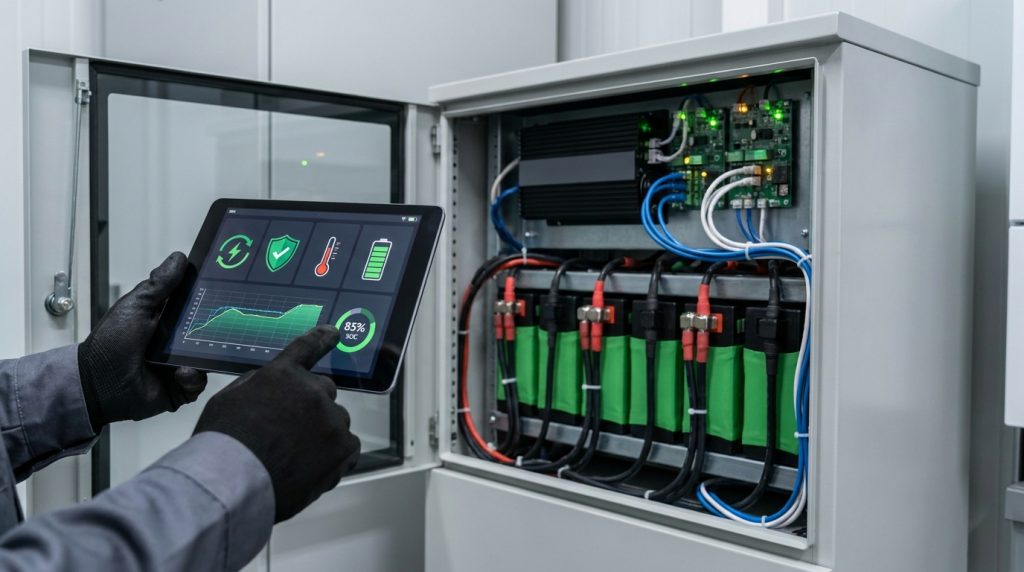
BMS-controlled charging is non-negotiable because the BMS sees the cell-level conditions that the homeowner cannot see. If it reports low temperature, overvoltage, imbalance, or a fault, charging should stop until the cause is corrected.
A Battery Management System tracks battery conditions that a basic charger cannot see well enough. The DOE’s battery energy storage report describes BESS monitoring around SOC, temperature, voltage, current, and other operating signals used for charge control and fault handling. That is the level of control a home battery needs.
The BMS should not be treated like an emergency backup switch. If it blocks charging, the correct response is to fix the condition, not bypass the protection. This is also why installers should explain integrated BMS control during handover, not only after the first shutdown.
| BMS signal | What it likely means | What to do | What not to do |
|---|---|---|---|
| Low temperature | Battery is too cold to charge | Warm the battery first | Force charger restart |
| Overvoltage trip | Cell or pack voltage is too high | Stop and review charger settings | Raise voltage limits |
| Cell imbalance | Cells are not at the same level | Run approved balancing routine | Mix unmatched packs |
| Communication loss | Inverter cannot read the BMS | Check cables and settings | Run blind charging |
| Repeated fault | System condition is abnormal | Call installer or service team | Clear logs and ignore |
| Heat warning | Battery or cabinet is too hot | Reduce load and inspect airflow | Continue charging at full current |
Thermal runaway testing also matters for energy storage safety. UL explains that UL 9540A evaluates fire propagation behavior in battery energy storage systems. Good BMS control does not replace certified system design, but it is one of the daily controls that keeps charging inside safe limits.
Can you charge LiFePO4 home batteries below freezing?
Do not charge a standard LiFePO4 home battery below 0°C unless the battery has a manufacturer-approved self-heating or low-temperature charging system. Let the BMS block charging, warm the pack, then resume inside the approved range.
This is one of the easiest mistakes to make in a garage, shed, or outdoor cabinet. Discharging in cold weather may still be allowed by the manufacturer, but charging below freezing is different. If the BMS pauses charging, it is doing its job.
A cold garage example makes this clear. The battery cabinet is at -2°C in the morning after a cold night. The solar array starts producing power, but the charger should not push normal charging into the pack. Warm the battery first, then let the system resume according to approved limits.
| Cold-weather step | Correct action |
|---|---|
| Check battery temperature | Use the app, display, or BMS data |
| Confirm lockout status | Do not treat it as a nuisance alarm |
| Warm the battery | Use approved heating or indoor temperature recovery |
| Resume charging | Wait until the pack is inside the allowed range |
| Review location | Improve cabinet placement if freezing repeats |
For deeper cold-weather planning, link this operating rule to broader winter charging behavior. That topic can cover location, insulation, heated packs, and seasonal solar production without overloading this charging guide.
How often should you charge to 100% for balancing?
Most LiFePO4 home batteries do not need 100% charging every day. A controlled full charge is useful when the manufacturer or BMS needs it for balancing, but the system should not sit at high voltage unnecessarily.
Cell balancing helps keep cells at similar voltage near the top of charge. Some systems balance only near full charge, so a battery that cycles between 30% and 80% for many weeks may need an occasional controlled top charge. That does not mean daily full charging is better.
Daily 100% charging is not a badge of good maintenance. It is useful when the BMS needs balancing, but unnecessary high-voltage holding is not a long-life habit. Connect this topic to broader cycle life habits when the reader wants long-term ownership guidance.
| Use case | Suggested behavior | Why it helps |
|---|---|---|
| Normal daily use | Let the system cycle in a practical SOC range | Reduces unnecessary high-voltage hold |
| After many partial cycles | Run a full charge if the BMS or manual calls for it | Allows balancing |
| Before expected outage | Charge higher if backup reserve is needed | Improves readiness |
| Long storage | Follow storage SOC in the manual | Avoids storing full or empty |
| Repeated imbalance alert | Run approved balancing or call service | Prevents forced operation |
Here is a simple homeowner scenario. A battery stays between 30% and 80% for three weeks because solar use is steady. If the app reports balance needed, schedule a controlled full charge during a sunny day or low-rate grid period. Once balancing is complete, return to normal operation.
What should you never do when charging a LiFePO4 home battery?
Never bypass the BMS, use lead-acid repair modes, or charge a cold battery just because backup power is needed. These mistakes can create faults, shorten battery life, or push the system outside its tested design. The FAA’s lithium battery safety page notes that overheating, overcharge, damage, and defects can contribute to serious battery hazards.
Use this do-not-do list during homeowner handover and installer training:
- Do not use equalization mode.
- Do not use desulfation, repair, or reconditioning mode.
- Do not bypass the BMS to force charging.
- Do not charge below 0°C unless the battery has approved heating.
- Do not mix unmatched batteries in series or parallel.
- Do not ignore swelling, heat, smell, smoke, or repeated shutdowns.
- Do not copy a charger profile from a forum without checking the data sheet.
- Do not leave a battery at high voltage longer than the manufacturer recommends.
- Do not assume “safer chemistry” means abuse-proof operation.
LiFePO4 is known for strong safety characteristics, but safe chemistry still needs correct operation. For readers comparing fear-based claims with real operating risks, point them toward battery safety myths after this section.
What should normal daily operation look like?
Normal daily operation should look quiet, predictable, and mostly automatic. The charger follows the approved profile, the BMS monitors the pack, and the homeowner checks alerts instead of changing settings every week. A good system does not need constant manual tuning.
This chart is the field-ready reference for homeowners and new installers. It shows what to expect in common situations, what the charger should do, and when to stop and investigate.
| Operating condition | Charger behavior | BMS expectation | Homeowner action | Installer note |
|---|---|---|---|---|
| SOC 20% to 80% | Normal charge and discharge | Monitor pack status | Let the system run | Confirm SOC readings are stable |
| SOC near 100% | Current tapers or stops | Balance if needed | Do not force extra top-off | Check absorption time |
| Temperature below 0°C | Charging pauses | Low-temp lockout active | Warm the battery first | Verify sensor location |
| BMS fault | Charging stops | Fault code stored | Read app or display | Check logs before reset |
| Grid outage reserve | Higher SOC may be used | Keep within safe limits | Follow backup plan | Confirm reserve setting |
| Solar surplus day | Charger uses available PV | Control voltage and current | Avoid manual boost | Confirm solar profile |
| Long storage | Charger may be off or limited | Monitor low self-discharge | Follow storage SOC | Set storage schedule |
A charging fault example helps here. If the charger stops at 60%, do not force a restart first. Check the BMS status, battery temperature, inverter logs, and voltage settings. If the system is protecting itself, the fix is the cause of the fault, not the warning light.
What to Do Next
Good LiFePO4 home battery charging best practices are simple to follow once the system is set correctly. Use the battery maker’s profile, keep low-temperature charging protection active, and let the BMS control the charger. Treat full charges as a balancing tool, not a daily habit.
For homeowners, the next step is to check the app or inverter screen against the settings in your manual. For installers, build the setup table into your commissioning checklist and teach the homeowner what a normal BMS stop looks like.
Frequently Asked Questions
Can you overcharge a LiFePO4 battery?
Yes, overcharging is possible if the charger, inverter, or BMS is misconfigured. A working BMS should stop charging when cell voltage becomes unsafe, but the charger profile still needs correct voltage and current limits.
How fast can I charge my LiFePO4 home battery?
Charge speed depends on the battery’s C-rate and manufacturer limit. Many guides mention 0.2C to 0.5C as a gentler long-life range, but installers should always use the specific battery data sheet.
Is it necessary to fully charge a LiFePO4 battery every time?
No, LiFePO4 batteries do not need a full charge after every cycle. Occasional full charging may help the BMS balance cells, but daily operation can usually stay in a partial SOC range.
Can I use a lead-acid battery charger to charge a LiFePO4 battery?
Only use it if the battery maker confirms the voltage profile is compatible and the charger has no desulfation, repair, or equalization mode. A LiFePO4 charger or programmable inverter-charger is safer.
What is the ideal charge voltage for a 12V LiFePO4 battery?
Many manufacturer guides place 12V LiFePO4 absorption near 14.0V to 14.6V, but the exact target depends on the battery model. Use the data sheet before copying a generic value.
How long does it take to charge a LiFePO4 battery?
Charge time depends on battery capacity, starting SOC, charger current, and taper during absorption. A simple estimate is usable amp-hours divided by charger amps, then add time for the final current taper.

-

 OEM Residential Energy Storage Solutions: Passive vs. Active Cell Balancing
2026-09-30
-
 Smart Home Battery with BMS Communication: Cybersecurity and BMS Safety
 -
 10kWh Home Battery Backup System: Is 90% DoD Better for Daily Solar Storage?
2026-09-29
-
 Integrated Home Energy Storage System 150–430V MPPT Design
2026-09-28
-
 LiFePO₄ Residential Backup Battery SOC Accuracy in Parallel Systems
Share this:





.svg)






-899.svg)


