




Smart Home ESS: App Control, EMS & Auto Routing
A smart home energy storage system should do more than show battery data in an app. Its EMS should automatically route power between solar, battery, grid, backup loads, and sometimes a generator based on prices, outages, reserve settings, and household demand. In 2026, buyers should expect live energy flow, scheduling, alerts, manual override, and clear backup priorities.
“Smart” is one of the most overused words in home energy storage. Some systems truly manage power around your home. Others show a clean dashboard while the homeowner still has little control. This guide explains what the energy management system, or EMS, should actually do, what the app should show, and which features matter before you trust a supplier’s smart ESS claim.
What actually makes a smart home energy storage system smart?
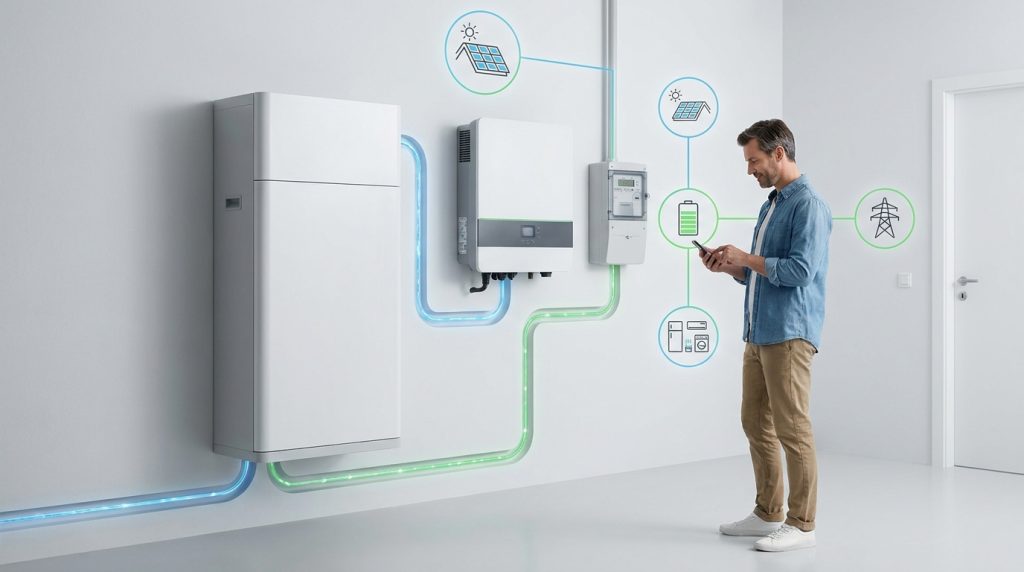
A smart home energy storage system is smart only if it can monitor energy flows and automatically decide when to charge, discharge, preserve backup reserve, or use grid power. A dashboard alone is not enough.
A normal home battery stores energy. A battery management system, or BMS, protects the cells. An inverter converts power. The EMS is different. It decides how energy should move based on solar output, household demand, battery level, grid price, and backup settings.
That control layer is what makes the system useful. A smart ESS should know when to store midday solar, when to discharge during evening peak periods, and when to stop discharging because the backup reserve is too low. For a wider hardware breakdown, see this ESS system anatomy.
A helpful way to separate real control from marketing:
- Monitoring shows what happened.
- Scheduling tells the system what to do at set times.
- Automation changes behavior when conditions change.
- Backup logic protects essential loads when the grid fails.
Homey’s ESS guide separates battery, BMS, PCS, EMS, and safety features, which is the right way to understand the control stack before buying an app-controlled system. Homey explains these ESS components in its smart home storage guide.
What does the EMS actually do inside the system?
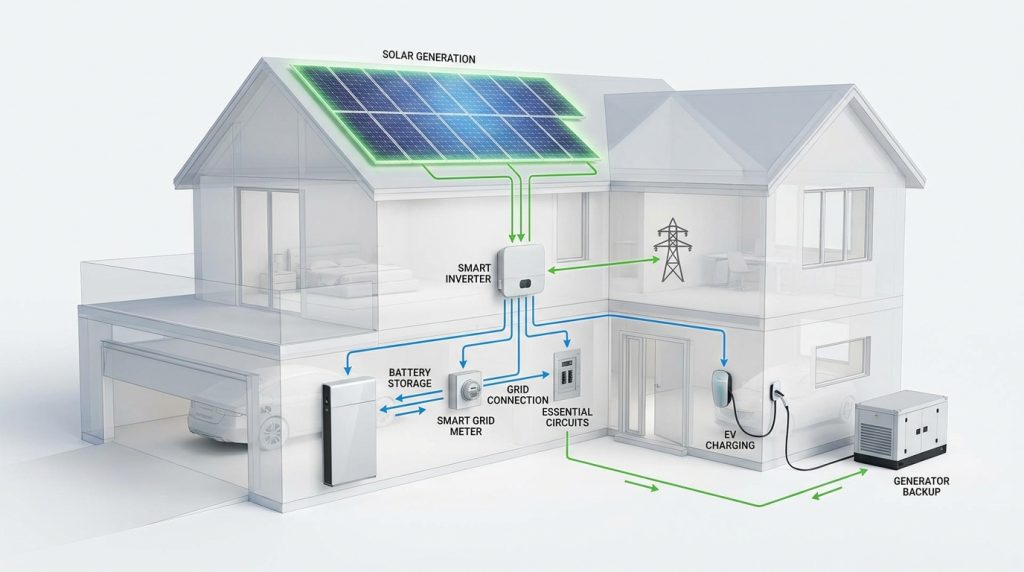
The EMS controls when energy moves between solar, battery, grid, and home loads. Its job is to reduce wasted solar, avoid expensive grid periods, protect backup reserve, and keep essential loads powered when conditions change.
The EMS is the traffic controller. It watches power coming from solar panels, power being used by the house, battery state of charge, grid import or export, and the owner’s backup settings. A stronger EMS can also use tariff schedules, smart meter data, EV charger demand, or generator status.
Load shifting vs peak shaving vs grid arbitrage
Load shifting means moving energy use from expensive hours to cheaper hours. For example, the battery charges from solar at noon and powers the home from 6 PM to 9 PM. Peak shaving means reducing the highest demand spike, which can matter in homes with demand charges or heavy evening loads.
Grid arbitrage means buying electricity when rates are low and using stored power when rates are high. This only makes sense when the rate plan supports it. Homey covers dynamic tariffs, load shifting, self-consumption, and grid interaction as key smart ESS functions in its energy management explanation.
Auto routing priorities in normal operation
A smart EMS should not need daily babysitting. The homeowner sets the goal, then the system follows the priority order. For solar homes, that often means powering loads first, charging the battery second, exporting only when useful, and keeping enough backup reserve for outages.
| Condition | EMS decision | Homeowner benefit | App setting to check |
|---|---|---|---|
| Solar surplus at noon | Charge the battery | Less wasted solar | Solar-first mode |
| Low grid price | Charge from grid if allowed | Lower energy cost | Time-of-use schedule |
| High grid price | Discharge battery | Avoid expensive imports | Peak shaving mode |
| Battery reserve is low | Stop discharge | Protect outage backup | Backup reserve |
| Outage detected | Power essential loads | Keep critical devices running | Backup circuit status |
| Generator connected | Charge or support loads | Longer backup runtime | Generator input mode |
| Internet unavailable | Follow local rules | Safer outage behavior | Offline fallback |
For homes with solar PV, EMS logic should be planned with the inverter and battery design, not added as an afterthought. This is where solar ESS pairing matters.
What should the mobile app show before you trust it?
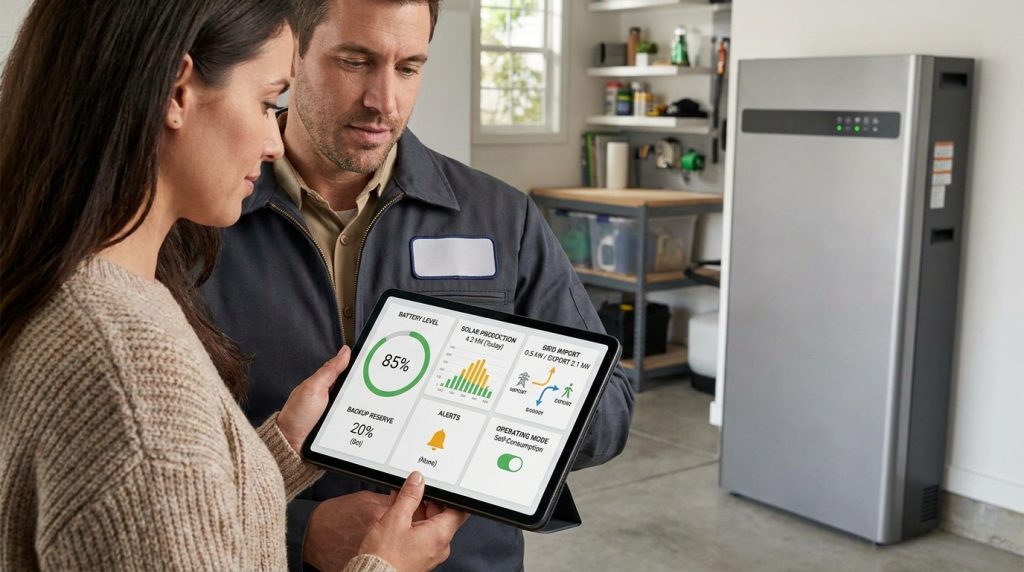
A trustworthy ESS app should show live energy flow, battery percentage, grid import/export, backup reserve, alerts, and mode history. It should also let the owner set priorities, not only watch charts.
The app is the homeowner’s window into the system. If it only shows a battery percentage, it is too limited for a modern smart ESS. You need to see what the battery is doing, why it is doing it, and whether the system followed the settings you chose.
A strong app should expose these basics:
- Live solar production, home load, battery flow, and grid import or export
- Battery state of charge and backup reserve
- Current operating mode, such as solar-first, backup-first, or schedule mode
- Time-of-use charge and discharge schedule
- Fault alerts, warning history, and basic diagnosis
- Manual override for charge, discharge, and reserve behavior
- Protected load or circuit status during outage mode
Sunwoda says its app manages home energy production, storage, consumption, and battery reserves through mobile and web access. That is closer to what buyers should expect than a simple status screen. Sunwoda describes this app-level control in its residential storage solution.
How do three real EMS feature sets compare?
Real EMS platforms do not all offer the same control. Some are built for open smart-home automation. Some are tied to a specific inverter and battery ecosystem. Some focus more on backup visibility than advanced tariff control.
| EMS or app example | What it appears to do well | Best-fit homeowner | What to verify before buying |
|---|---|---|---|
| Homey HEMS | Connects ESS data with smart meters, dynamic tariffs, automation, VPP ideas, and smart-home devices | Homeowner who wants flexible automation across many devices | Whether the battery, inverter, and meter are supported in the local market |
| SAJ elekeeper | Offers one-click savings, one-click diagnosis, smart scheduling, dispatch, and energy trading features | Buyer choosing a SAJ-based all-in-one or hybrid system | Which features are active in your country and tariff plan |
| Sunwoda app | Shows production, storage, consumption, battery reserves, and remote access | Homeowner who wants simple system visibility and reserve control | Whether it supports local control, detailed history, and installer-level settings |
SAJ’s HS3 page shows how product ecosystems now sell the EMS as part of the system, with features like smart scheduling and diagnosis. SAJ presents elekeeper as part of its HS3 smart home energy platform.
The practical takeaway is simple: do not buy the word “smart.” Buy the control you can confirm. Ask for screenshots, app demo access, supported meter lists, and a clear explanation of what the EMS can change automatically.
Can smart routing really lower the electric bill?
Smart routing can lower bills when the home has solar surplus, time-of-use pricing, dynamic tariffs, or high evening demand. If the utility rate is flat and solar export value is good, the savings case may be weaker.
The best savings case is a solar home with high evening grid rates. For example, the system can charge from surplus solar between 11 AM and 2 PM, keep a 30 percent backup reserve, then discharge from 6 PM to 9 PM when household demand and grid prices rise.
Strong savings case
Smart routing works well when the home has solar production during the day and higher grid prices in the evening. It can also help when the utility uses dynamic tariffs. In that case, the EMS needs accurate rate settings, clean battery history, and a clear schedule.
| Scenario | Smart routing choice | Decision point |
|---|---|---|
| Solar surplus at noon | Charge battery first | Use stored solar later |
| Evening peak rate | Discharge battery | Avoid high-price imports |
| Storm warning | Raise reserve to 100 percent | Protect backup runtime |
| EV charger starts | Delay or limit charge | Avoid high load spike |
Weak savings case
Grid arbitrage is not always worth chasing. It works when rate differences are large enough, but backup-first operation is safer when outages are common or the rate plan is flat. If the app cannot show savings history, the homeowner has no easy way to check whether the strategy works.
For the broader buying path beyond control software, use this home energy storage guide. Popular Mechanics also describes scheduled charge and discharge behavior in a whole-home backup setup, including app-based circuit visibility and backup automation. Its EcoFlow review shows how app scheduling can affect real operation.
What happens during an outage, generator use, or weak internet?
A smart ESS should switch to backup mode quickly, protect the reserve you set, and show which loads are being powered. During a real outage, fancy app graphics matter less than circuit priority, local control, and clear fault alerts.
Backup priority
In a storm mode scenario, the app may raise reserve to 100 percent before bad weather arrives. During the outage, the ESS should power essential circuits first, such as the fridge, lights, router, and medical devices. If the battery gets low, it should reduce non-essential loads instead of draining everything at once.
This is where backup setup planning becomes important. A battery cannot protect circuits that were never wired into the backup panel. Whole-home backup and essential-load backup are different designs.
Generator coordination
Generator support should be written in the system design, not assumed. In a long outage, the ESS may use the generator only when battery reserve falls below a set level. That can reduce generator runtime and keep the battery from reaching a dangerous low point.
Cloud automation is convenient, but backup behavior should not depend entirely on the internet. Local fallback and clear offline behavior matter more than flashy AI labels. EcoFlow’s Oasis coverage shows why smart home energy management is becoming more software-driven, but it also highlights how many systems remain tied to specific ecosystems. The Verge covered EcoFlow Oasis as a smart home energy management system.
What are the bare-minimum smart ESS features a 2026 buyer should expect?
In 2026, a smart ESS should offer live energy flow, scheduling, backup reserve control, alerts, manual override, and clear compatibility data. If the app cannot explain what the system is doing, it is not smart enough.
A smart-looking app is not enough. If the system cannot change charge, discharge, reserve, or load behavior automatically, it is mostly monitoring software. A true smart ESS should let the homeowner understand and adjust real operating priorities.
| Must-have feature | Why it matters | Question to ask installer |
|---|---|---|
| Live energy flow | Shows solar, battery, grid, and load behavior | Can I see import and export in real time? |
| Historical data | Helps prove savings and diagnose issues | How long is data stored? |
| Time-of-use scheduling | Supports load shifting and peak shaving | Can I enter my utility rate schedule? |
| Backup reserve control | Protects outage runtime | Can I set a minimum reserve? |
| Load priority | Keeps essential circuits powered first | Which loads are protected? |
| Manual override | Gives control during unusual events | Can I force charge or stop discharge? |
| Alerts and fault history | Speeds troubleshooting | What alerts does the app send? |
| Local fallback | Reduces cloud dependency risk | What works if internet is down? |
| Compatibility list | Prevents device mismatch | Which meters, inverters, EV chargers, and generators work? |
DOE’s BESS procurement checklist resources show why storage projects need clear requirements before purchase, even at early planning stages. The DOE FEMP checklist is a useful reference for structured battery storage procurement.
If you are also comparing cell chemistry and safety, keep the control layer separate from the battery chemistry decision. A LiFePO4 battery reference can help with that part.
What should you ask the installer before choosing a smart ESS?
Ask the installer what the EMS can control automatically, what the app will show, and what still needs manual action. Good answers should be specific. Weak answers often sound like “the app handles everything” without showing settings, screenshots, or compatibility details.
Use these questions before you approve the design:
- Can the EMS control charge and discharge by time-of-use rates?
- Can it prioritize solar self-consumption before grid import?
- Can I set backup reserve from the app?
- Which circuits are protected during an outage?
- Does the system support generator input?
- What happens if Wi-Fi or cloud access fails?
- Can I export energy history or savings reports?
- Which smart meters, EV chargers, and inverters are supported?
- Who controls firmware updates and app permissions?
- Can I see a demo of the real homeowner app?
If you prefer a packaged system, compare these controls with the hardware layout in an all-in-one ESS overview. A clean cabinet is helpful, but the real test is whether the EMS matches your rate plan, backup needs, and future expansion.
What to Do Next
Before choosing a smart home energy storage system, ask for an app demo and a written list of EMS functions. Focus on the actions the system can take: charge, discharge, preserve reserve, prioritize loads, follow rate schedules, and handle outages. Then compare those controls against your actual home, not a brochure example. A good smart ESS should make energy use easier to understand and safer to manage, without hiding important decisions behind vague automation claims.
Frequently Asked Questions
What is a smart home energy system?
A smart home energy system is a control layer that manages how electricity is produced, stored, and used inside the home. It should coordinate solar, batteries, grid power, and major loads instead of only showing data in an app.
Are smart home energy systems complicated to use?
A good system should not feel complicated after setup. The EMS should run schedules automatically, while the app gives simple controls for backup reserve, charge mode, alerts, and manual override.
Do I need to replace all my existing devices?
Not always. Some systems can connect to existing inverters, meters, EV chargers, and thermostats, but compatibility depends on the brand, protocol, and installer design.
Does a smart home energy system improve energy efficiency?
Yes, if it can shift loads, store surplus solar, and avoid expensive grid periods automatically. Efficiency gains are weaker when the system only monitors data without controlling when energy moves.
Can a battery energy storage system power my home during an outage?
Yes, but the result depends on battery capacity, output power, wiring, and backup circuit selection. A smart system should show which loads are protected and let the owner preserve battery reserve.
Are smart energy systems secure?
They can be secure, but buyers should ask about encrypted communication, app permissions, local fallback, firmware updates, and cloud dependency. Security matters more when the system controls backup loads and grid interaction.

-

 OEM Residential Energy Storage Solutions: Passive vs. Active Cell Balancing
2026-09-30
-
 Smart Home Battery with BMS Communication: Cybersecurity and BMS Safety
 -
 10kWh Home Battery Backup System: Is 90% DoD Better for Daily Solar Storage?
2026-09-29
-
 Integrated Home Energy Storage System 150–430V MPPT Design
2026-09-28
-
 LiFePO₄ Residential Backup Battery SOC Accuracy in Parallel Systems
Share this:





.svg)






-899.svg)


